Definition
The Template Node enables advanced text manipulation using either Go Text Template or Python's Jinja2 template language. It serves as a powerful tool for text concatenation, looping, and variable substitution, enhancing the efficiency and flexibility of formatted text output.
This node can act as the "ultimate assembler" for all your text outputs, notification messages, and report generation by converting structured data or AI-generated content into final text formats tailored to the enterprise requirements. By providing flexible template options, it greatly boosts the customizability, readability, and professional presentation of automated workflows.
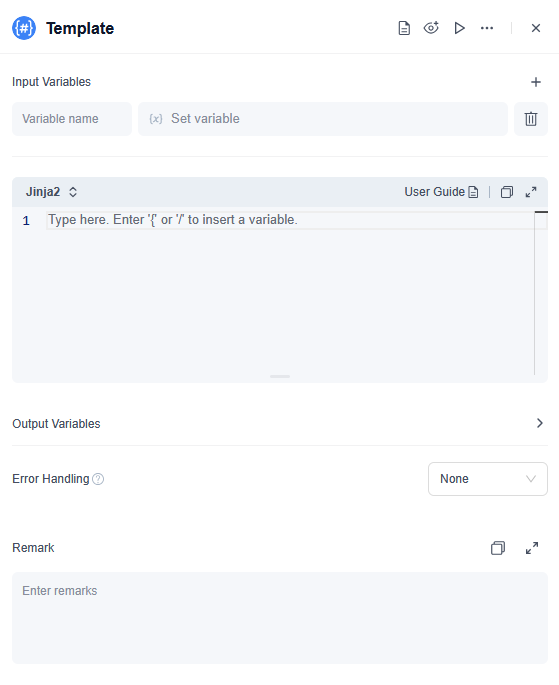
What You Can Do with the Text Template Node
- Auto-generate emails or messages: Inject data (such as names, order numbers, and amounts) from an LLM node or JSON Variable Extractor into a template to build custom notifications or emails.
- Combine fields and execute conditional logic: Insert specific text or list content based on different conditions, removing the need for extra logic nodes.
- Output formatted strings: Centrally manage and output formats like JSON, XML, Markdown, and HTML snippets using Jinja2.
- Jinja2: See the official Jinja2 documentation for details and examples on usage, template syntax, and filters.
- Go Text Template: See the official Go text template documentation for complete guides and code examples covering syntax structure, function calls, variable processing, and template composition.
How to Configure
1. Input Variables
You can select output variables from previous nodes and assign them names.
2. Choose grammar
You can switch the template language used by this node; Go Text Template and Jinja2 are supported.
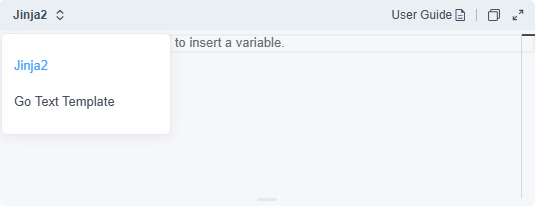
In the template code, you can insert variables using { or /. Please note that the names of the input variables must match the variable names in the template code. If you later change the names of the input variables, you will need to reinsert the variables in the template code for the changes to take effect.
Basic grammar Structure:
- Template grammar is contained between {{ and }}. Except for the template grammar enclosed by {{ and }}, other contents are output intact.
- Variable usage format: {{ .variable name }}.
Whitespace and newline handling:
- {{-: Delete whitespace and line breaks on the left.
- -}}: Delete whitespace and line breaks on the right.
- {{- . -}}: Delete all whitespace and line breaks
3. Output Variables
The processed output is stored in a variable named Output (String).
4. Error handling
Configure an error-handling policy for the node. If a critical error occurs during node execution that prevents the node from producing a result, this policy will be applied to prevent the entire workflow from being interrupted.
For more details on the error-handling mechanism, see: Node Error Handling Strategy
Common Use Cases
Text templates enable lightweight and flexible data transformation, making them ideal for text processing and format conversion scenarios. Whether you’re generating customized emails, creating real-time reports, or formatting data in specific structures, the Text Template Node offers a flexible and efficient solution, leading to greater workflow automation and optimization.
- Auto-generate email or message content: You can inject data returned from LLM nodes or JSON variable extractors, such as name, order number, or payment amount, into templates to generate personalized notifications or email bodies.
- Combine multiple fields and perform simple conditional logic: Insert different prompt texts or list items based on conditional values, without the need to add additional nodes to handle logic. This simplifies branching and enhances maintainability.
- Output formatted strings: Easily manages and outputs strings in formats like JSON, XML, Markdown, or HTML using the Jinja2 grammar for consistent results.
Simple Case display
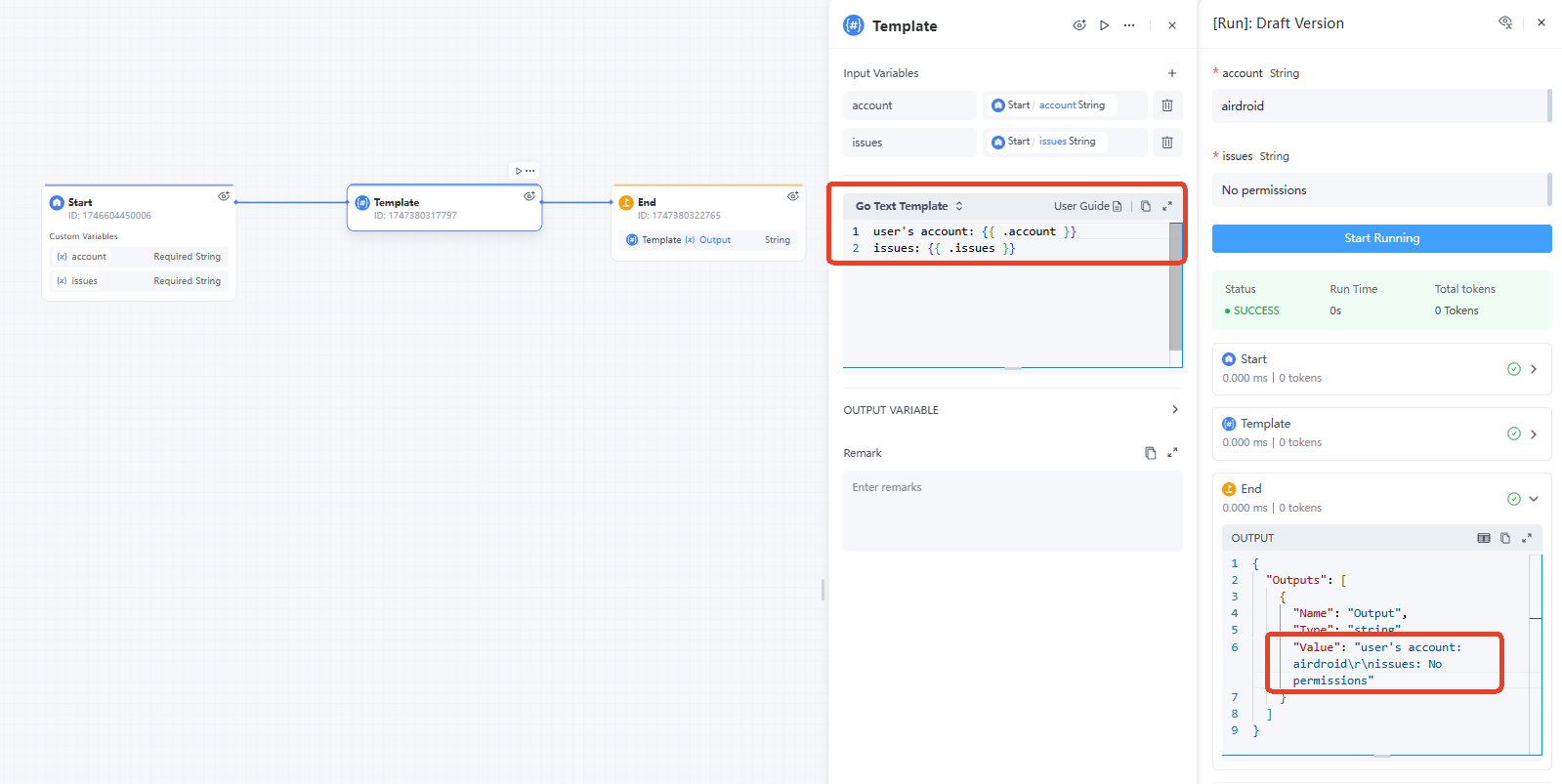
Text Concatenation: Concatenate user-provided variables such as account information and issue descriptions into a single, completely formatted text.


Leave a Reply.