Agent Strategy defines how an Agent Node processes user requests, selects and invokes appropriate tools, and determines when a task is complete. It allows enterprises to customize decision-making logic and reasoning patterns through flexible configurations, enabling various reasoning modes such as Chain of Thought (CoT) and Tree of Thought (ToT) to address complex business needs.
System Strategy
GoInsight.AI offers powerful system strategies:
- ReAct Task ExecutorA standard, general-purpose ReAct executor designed for most agents. It plans tasks step by step, invokes tools when necessary, verifies results, and generates a clear final answer.
In addition to the system strategies provided by GoInsight.AI, you have the option to create custom agent strategies to suit your needs.
Creating a Custom Agent Strategy
1. Create an Agent Strategy
Step 1. In InsightFlow - Services & Tools, click the "Create" button in the upper right corner.

Step 2. Choose to create an agent strategy, and enter its name and description.
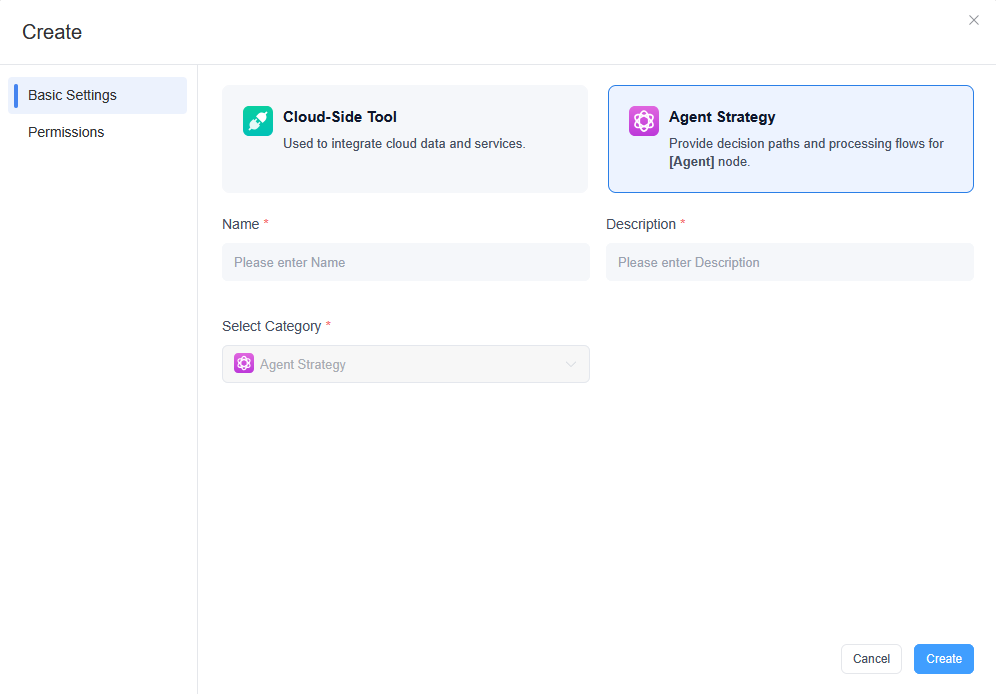
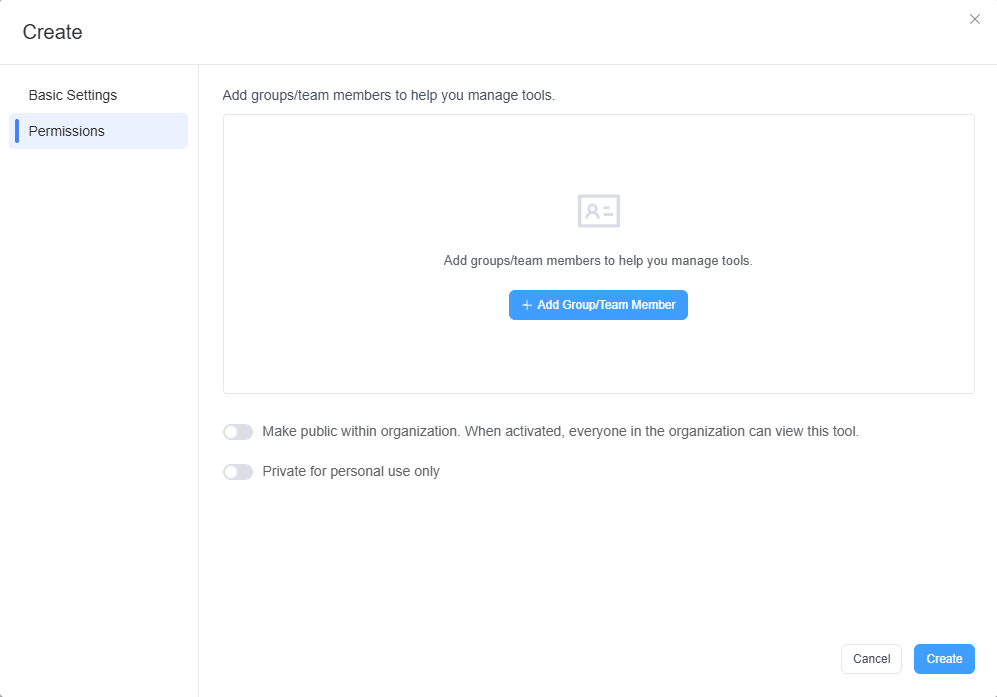
While creating an Agent Strategy, you can also manage its permissions to ensure compliance with enterprise requirements.
For more information on permission management, see Management of Services and Tools
2. Build the Agent Strategy
After creating an Agent Strategy, you are automatically redirected to the builder.
GoInsight.AI provides a template example of an Agent Strategy. This is a minimal runnable example of a ReAct agent, visually illustrating the "Think-Tool-Reflect" loop to aid in mastering agent strategy design:
- "Structured Thinking" Constraint
- Forces the large language model to output decisions in JSON format through prompts, allowing the AI's "thinking" to be parsed by workflows – laying the foundation for automatic tool invocation and error retry mechanisms.
- "Closed-Loop" Design
- Utilizes a loop node and multi-branch selection node to implement the ReAct automation process:
- → Large Language Model Decision: Choose "Answer Directly" / "Invoke Tool" / "Correct Error"
- → Parsing and Execution: Execute the corresponding logic based on the decision (output an answer/retry/invoke a tool)
- → Feedback Loop: Feed the results back to the large language model for reflection through query variables.
- This forms a complete automated "Think → Execute → Reflect" closed loop.
- Expand the Template as Needed
- Add Tools: Integrate internal enterprise tools (such as knowledge base searches or internal APIs) at the tool invocation node.
- Optimize Prompts: Fine-tune prompts for the large language model based on specific business scenarios to guide it toward making more aligned decisions.
- Complex Logic: Build advanced branches (for example, tool prioritization or multi-tool collaboration) to create sophisticated agents.
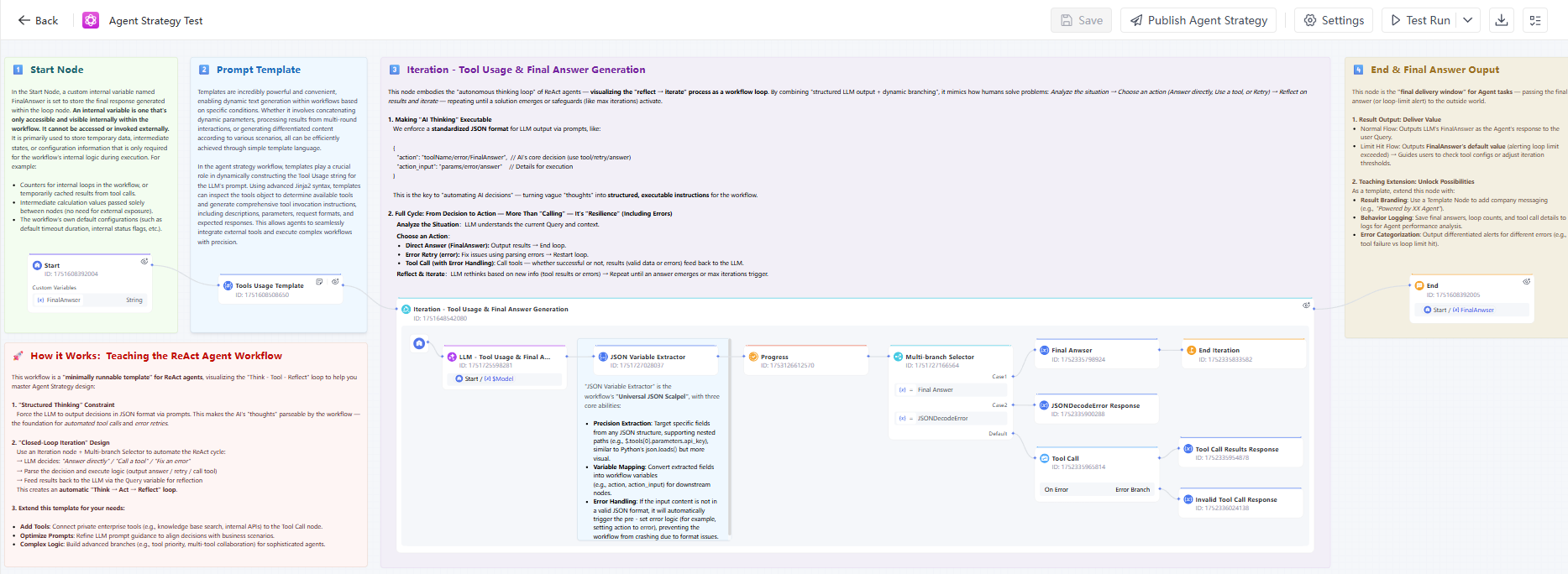
You can Build and debug this template based on your needs to ensure it meets the expected logic, making it suitable for use in Agent Node.
In the agent strategy sample template we provide, the Start node sets a custom private variable named FinalAnswer to store the final response generated within the loop node. Click here to learn more information about internal variables.
The variables for the Start Node in the Agent Strategy are described as follows:
| Variables | Data Type | Description |
|---|---|---|
| UTCDate | String | The date when the current workflow starts running, using UTC time, formatted as yyyy-MM-dd. |
| UTCTime | String | The time when the current workflow starts running, using UTC time, formatted as HH:mm:ss. |
| $Model | Object | Specifies the large language model to be called and its related parameters (e.g., temperature). |
| $ToolNames | Array[String] | Collection of tool names. |
| $Tools | Array[Object] | Collection of tools. |
| $Instruction | String | Defines the agent’s responsibilities, objectives, behavior guidelines, and response style. |
| $Query | String | The core query or task description that the agent needs to process in the current execution. |
| $MaxIterations | Number | Limits the number of reasoning or tool-calling iterations performed by the agent. |
| $Memory | Array[Object] | Provides the agent with context or previous reasoning results to improve response consistency and accuracy. |
| $WorkflowID | String | The unique identifier of the workflow. |
| $BatchId | String | The batch ID associated with the current workflow execution. |
| $UserID | String | A unique ID used to identify the user and track the same user across multiple sessions. |
| $UserDisplayName | String | The user’s display name. |
| $UserInfo | String | The user’s information. |
| BrowserLang | String | The user’s browser language, such as zh-CN or en-US. |
| $SessionID | String | The identifier of the current Q&A session. |
| $PersonalDataPath | String | The path to the Personal Data directory in the current workflow executor’s documents. |
The End Node is the "final delivery window" for the agent's task—responsible for delivering the final answer (or a reminder of a loop limit exceeded) to the user.
- Result Output: Typically, the FinalAnswer generated by the large language model is output as the agent's final response to the user's question.
- Limit Exceeded Process: Outputs the default value of the FinalAnswer variable (usually a warning message indicating that the loop limit has been exceeded) → Guiding the user to review the tool configuration or adjust the loop threshold setting.
3. Publish & Reference the Agent Strategy
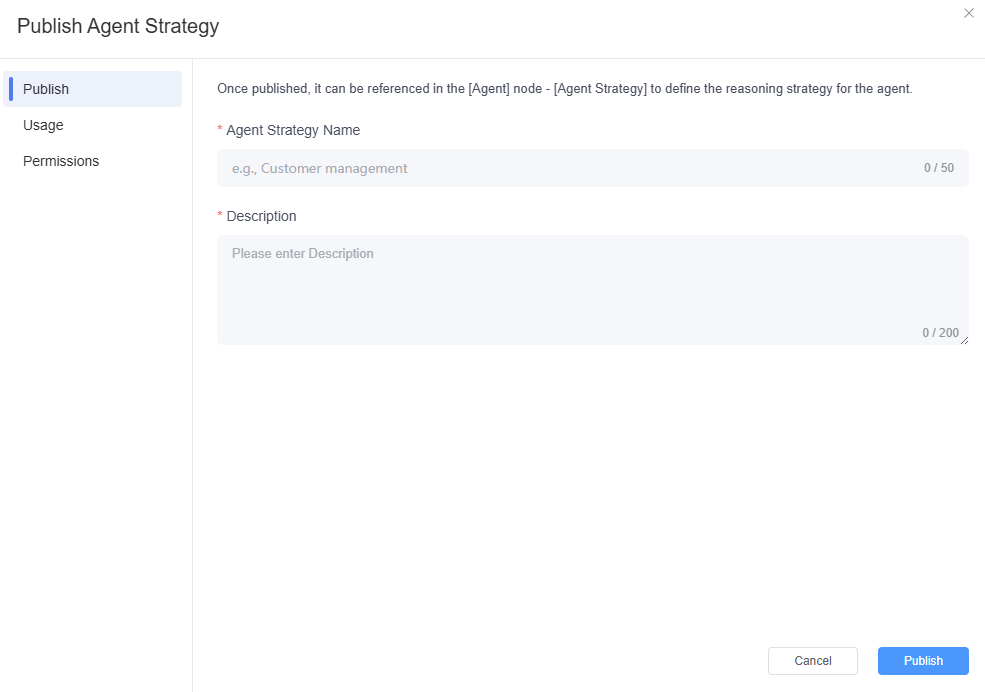
Step 1. After you have Buildd and debugged the Agent Strategy, you can click the "Publish Agent Strategy" button in the menu bar above.
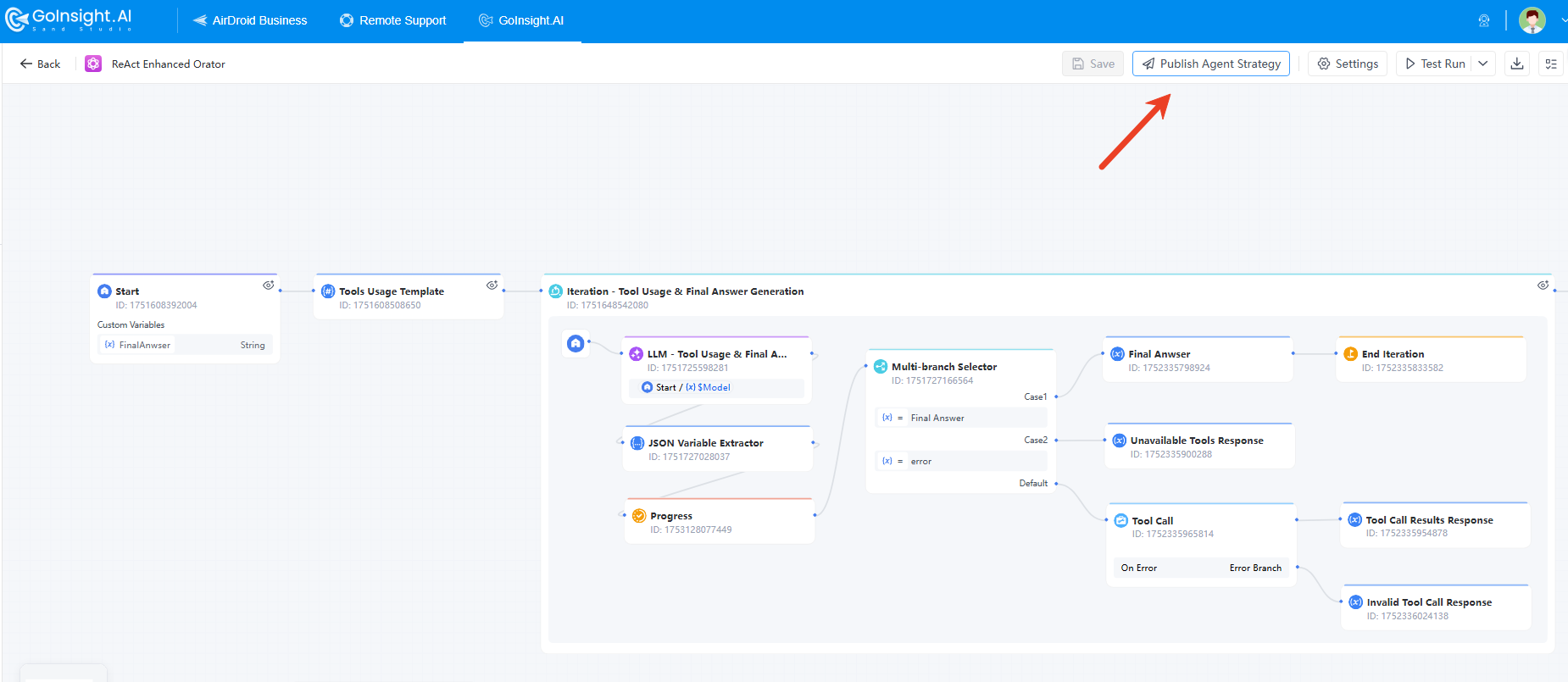
Step 2. Then, you can set the following content for publishing the Agent Strategy:
- Name and description of the Agent Strategy once published
- Usage: Define the variable descriptions for the input and output variables in the Agent Strategy
- Permissions: Specify who can use this Agent Strategy. Including "Make public within organization", or "Add groups/team members".
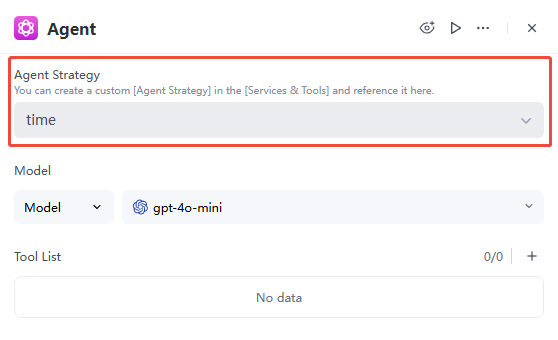
Step 3. After publishing the Agent Strategy, you can select it in the Agent Node.
Conclusion
The integration of Agent Strategy with Agent Node provides enterprises with highly flexible and intelligent solutions. By selecting the appropriate Agent Strategy in the Agent Node, organizations can ensure that each task is processed optimally. This configuration not only enhances the automation of workflows but also improves the system's responsiveness and adaptability. Benefits like:
- Optimize Task Processing: By selecting the appropriate agent strategy, ensure that each task is handled optimally.
- Improve Automation Levels: Enhance the automation and intelligence of workflows, improving system responsiveness.
- Flexible Customization: Allow organizations to customize and extend according to specific business needs.
- Efficient Operation: Ensure effective operation in dynamic environments and optimize business process management.


Leave a Reply.