Once you have created and orchestrated a Service Flow, the next step is to edit and debug it.
For information on how to create and configure a workflow, refer to: How GoInsight.AI Works
Editing a Service Flow
Below are the main components and functions of the Service Flow toolbar:

- Save: Saves the draft content edited in the workflow designer.
- Save and Publish: Saves and generates a published version.
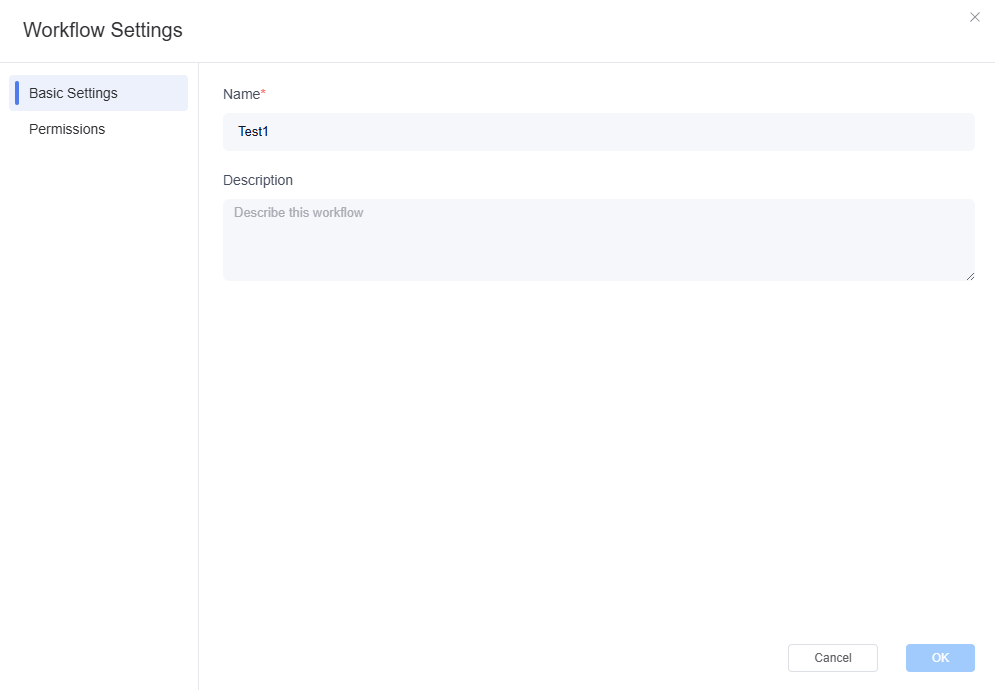
- Settings: Set the workflow's name, description, and access permissions within the organization.
Debugging a Service Flow
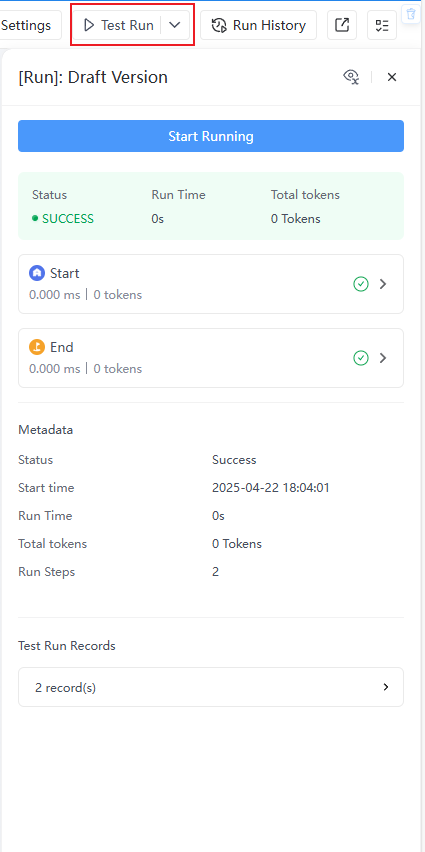
- Trial Run: Simulates the workflow's execution so you can verify its logic and behavior before running it officially. You can also view the input and output of each node in the run results to help identify and fix issues.

- Run History: View the workflow's run history.
- Export DSL: Export the workflow as a DSL file.
- Checklist: A list of potential issues in the workflow. Make sure all issues are resolved before publishing.
Once you have debugged the Service Flow and confirmed it meets the expected logic and behavior, you can publish this workflow.
You can refer to:


Leave a Reply.