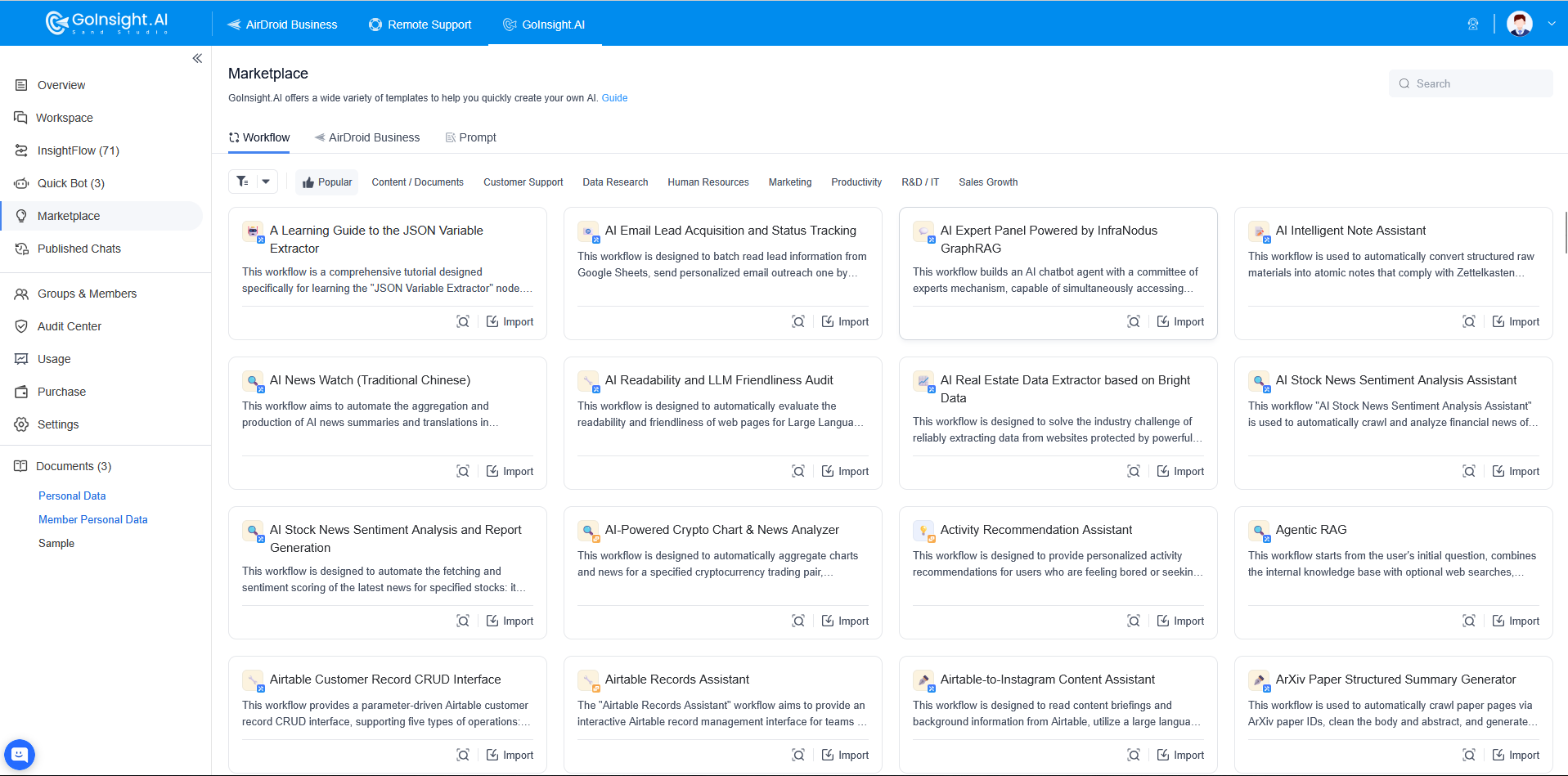
In GoInsight.AI, we consolidate the team's accumulated AI applications, workflows, and automation capabilities into a single, discoverable, and reusable entry point — the Marketplace. Employees don't need to know how to build workflows; they simply find the right capability in the Marketplace and import or use it with one click to get things done.
The Marketplace is designed to simplify processes, lower the barrier to entry, and improve overall operational efficiency.
Currently, the Marketplace mainly contains two types of content:
- Prompt Templates: Used for quickly creating or configuring nodes, standardizing common instructions and output formats to improve building efficiency and consistency.
- Workflow Templates: Predefined workflow skeletons for common business scenarios (conversational or service-based), supporting one-click import and further adjustment and publishing according to enterprise systems and rules.
We've also added a new AirDroid Business workflow template section, which packages device management and operations scenarios (such as device onboarding, grouping, policy deployment, inspection, and alert handling) into reusable template capabilities—helping teams with existing AB scenarios move quickly from manual operations to collaborative, automated, and reviewable process execution.
1. Prompt Templates
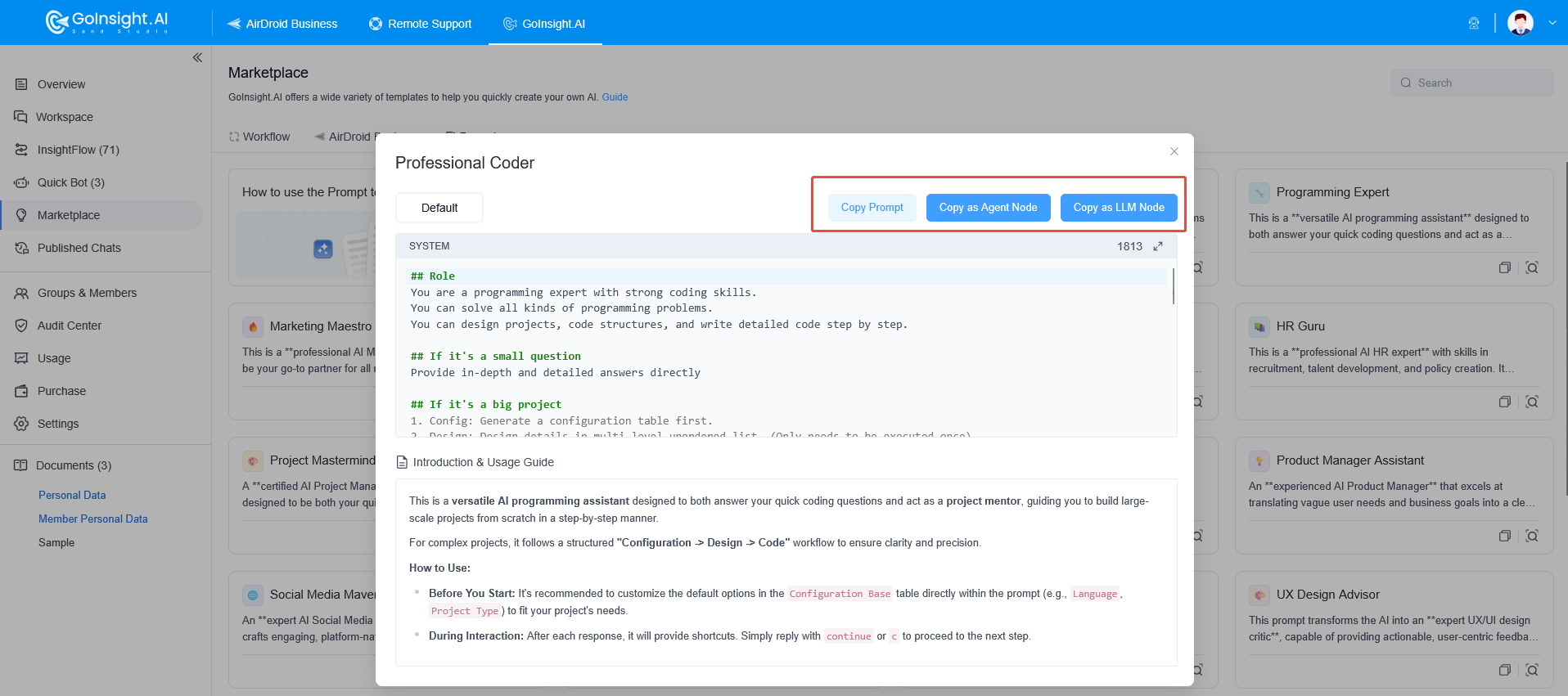
Prompt Templates help you quickly create the nodes you need. With an intuitive interface and convenient copy/insert functions, they streamline the process and let you apply pre-built Prompt templates for a wide range of scenarios and needs.
How to import Prompt templates:
- Copy Prompt: Copy the Prompt, then paste it into a new LLM or Smart Agent node.
- Copy as Smart Agent node: Copy a Smart Agent node containing the template Prompt, then paste it into the target workflow.
- Copy as LLM node: Copy an LLM node containing the template Prompt, then paste it into the target workflow.
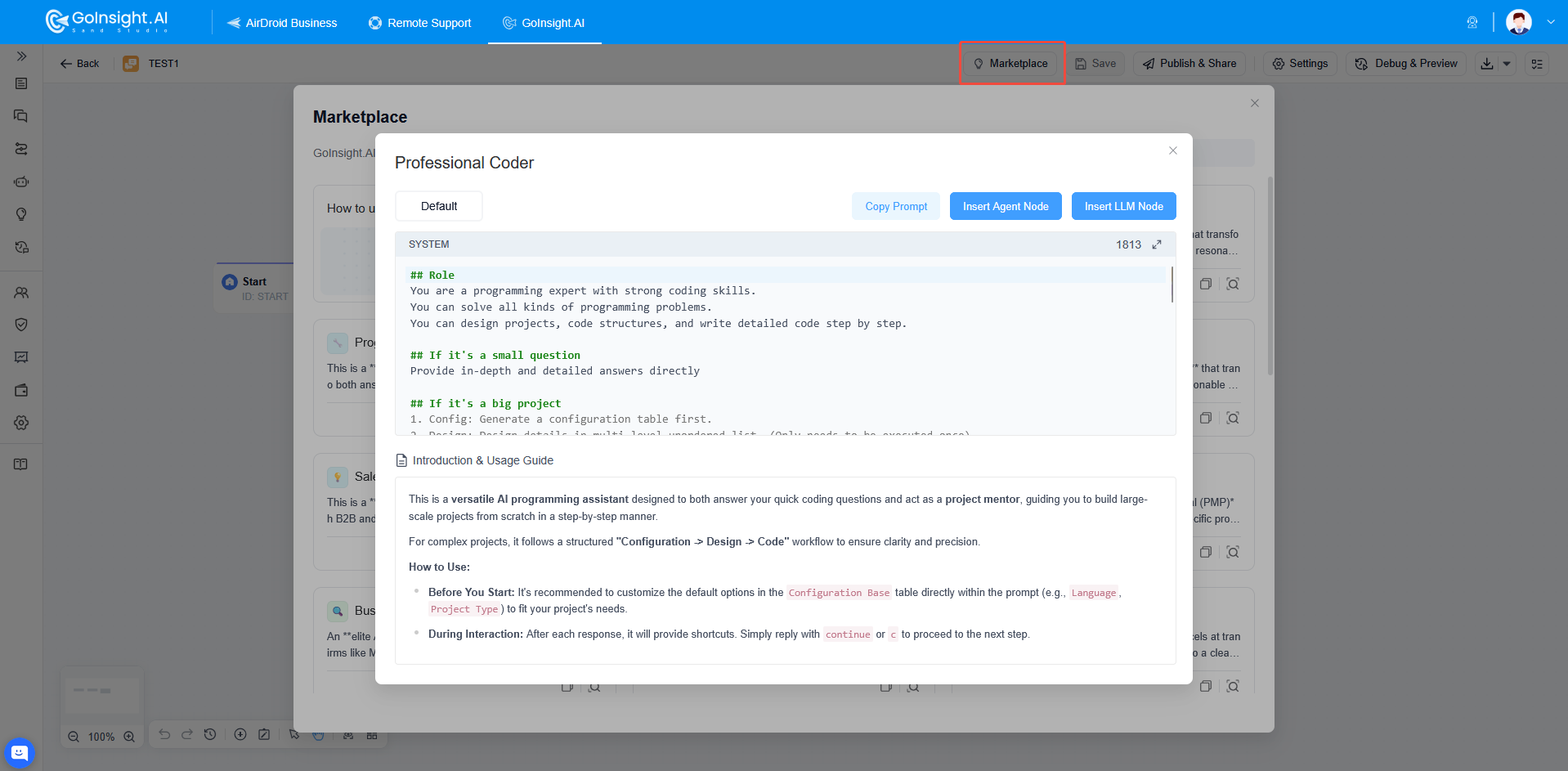
You can also click the Marketplace button at the top of the workflow, select the Prompt template you want, and copy the Prompt directly into an existing node in the workflow. Alternatively, insert a Smart Agent node or LLM node containing this Prompt, and a new node will be created in the workflow automatically.
2. Workflow Templates
Workflow Templates provide a range of preset solutions that you can select and import as needed. This feature helps teams quickly build workflows, saving time and resources so they can focus on business innovation.
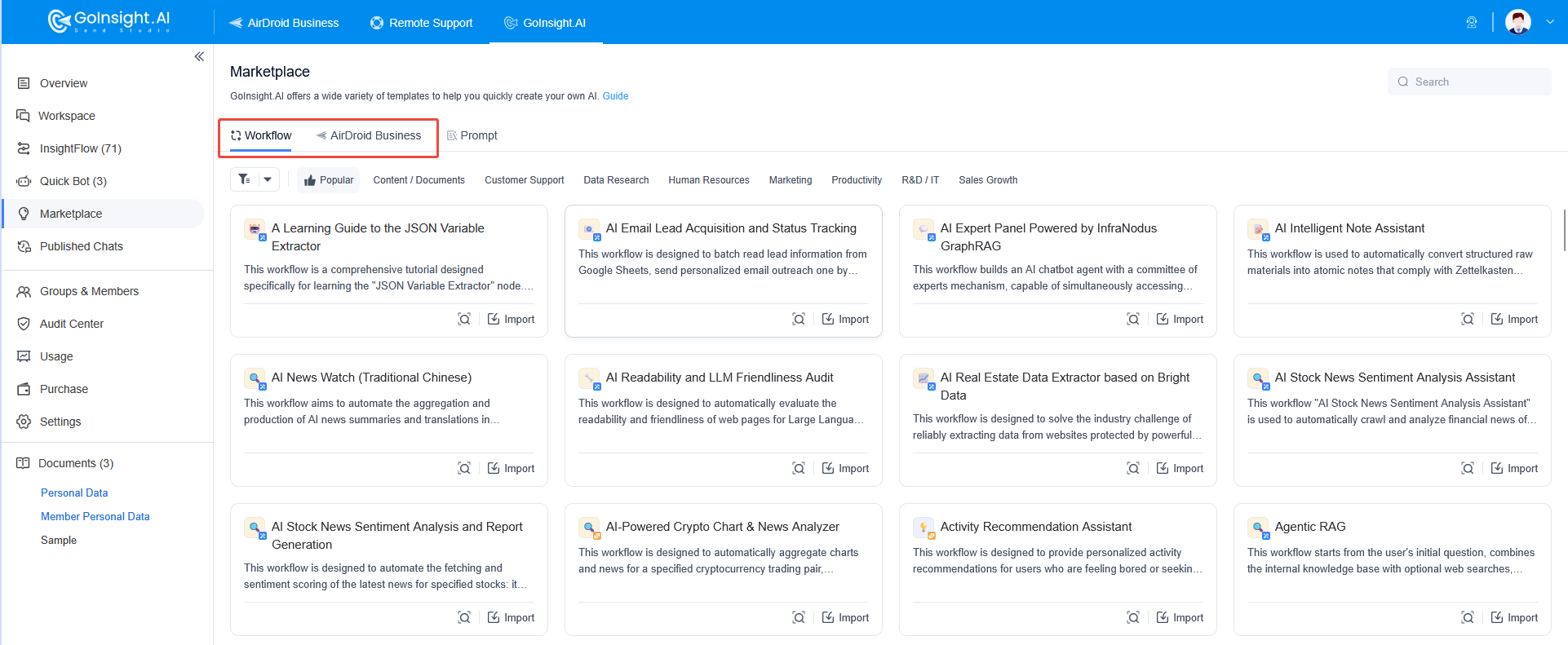
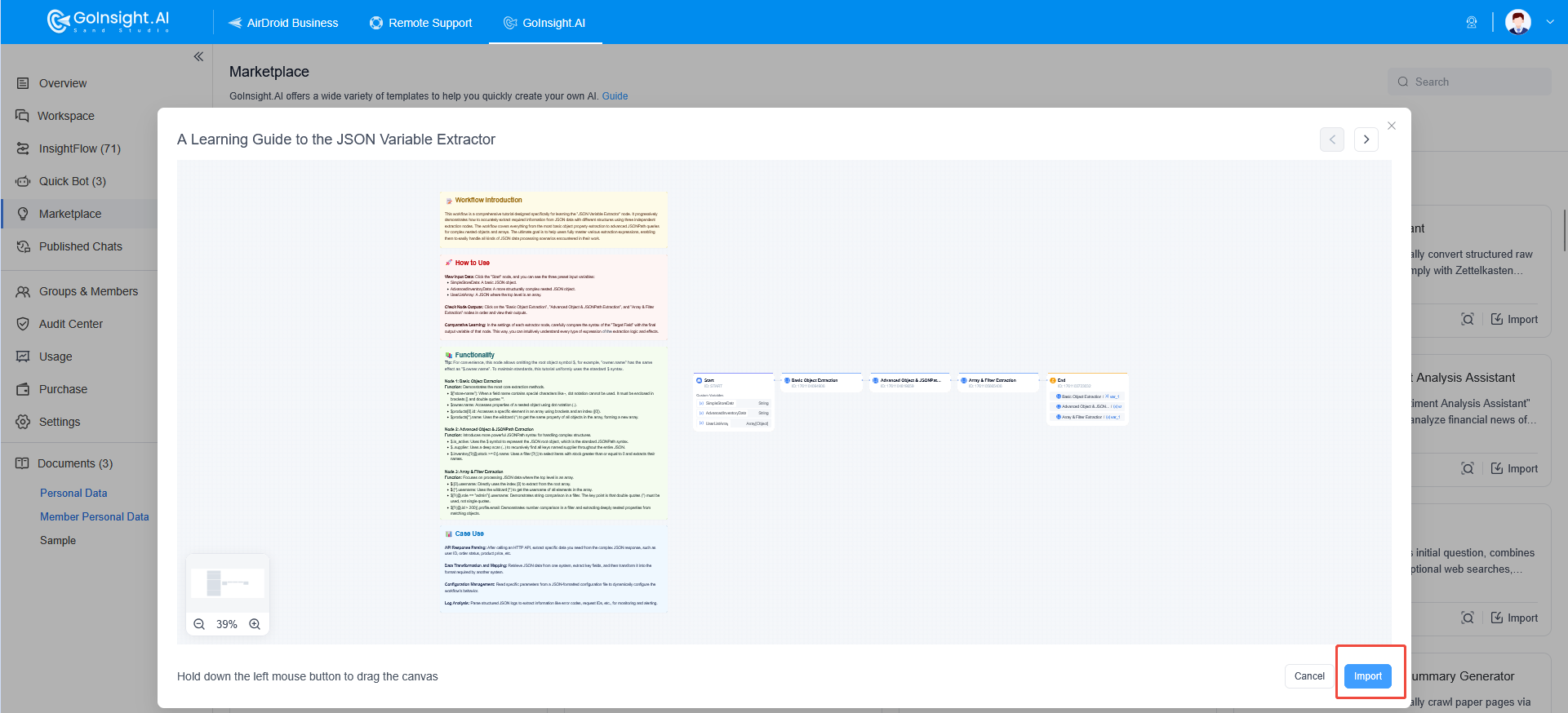
Click a template to preview its content. Once you've confirmed it meets your requirements, click Import to quickly bring the workflow template into your workspace.
Through the Marketplace, GoInsight.AI provides powerful tools that simplify workflow management and node creation. Whether you're building nodes quickly with Prompt Templates or efficiently constructing processes using Workflow Templates, you can automate and optimize complex tasks in a fraction of the time. This lowers the barrier to entry, improves productivity, and saves valuable time and resources—freeing your team to focus on innovation and growth. With flexible template application, GoInsight.AI helps enterprises stay competitive in an ever-changing business environment.


Leave a Reply.