Definition
The IF/ELSE node is used to direct the Workflow into different branches based on the evaluation of conditions.
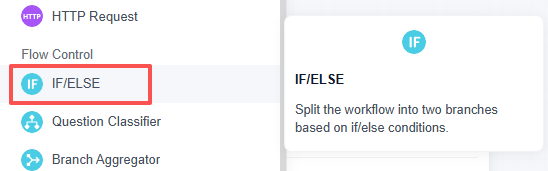
The node evaluates in the order of IF → ELIF → Else:
- If the IF condition is met, the IF branch is executed.
- If the IF condition is not met, ELIF conditions are evaluated.
- If neither the IF nor any ELIF conditions are met, the Else branch is executed.
Each IF or ELIF can contain multiple conditions combined by AND / OR.
Configuration Description
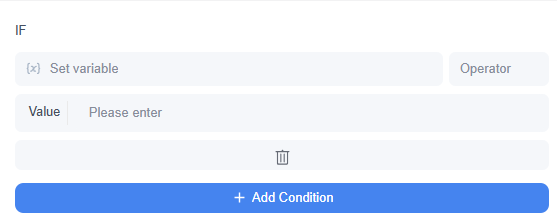
IF
IF is the first set of conditions.
If the IF condition group is met, the Workflow enters the IF branch.
ELIF
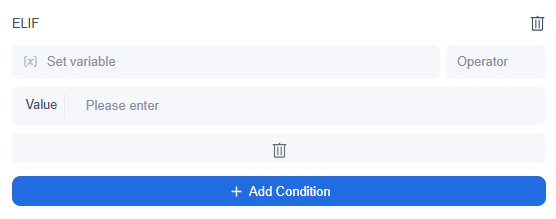
ELIF is a supplementary conditional branch.
When IF is not met, the system continues to evaluate ELIF. Multiple ELIFs can be added and will be evaluated in order from top to bottom.
Else
Else is the fallback branch.
When IF and all ELIF conditions are not met, the Workflow enters the Else branch.

AND / OR
Multiple conditions can be added within the same IF or ELIF.
- AND: All conditions must be met for the group to be true.
- OR: Any one condition being met makes the group true.
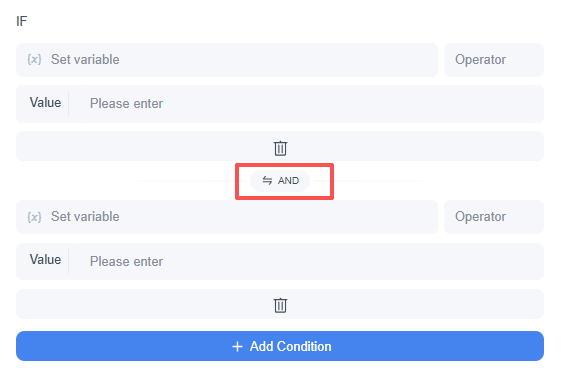
For example:
customer_level = VIP AND urgency = high
means the branch is entered only if the customer level is VIP and the urgency is high.
Condition Settings
Each condition typically consists of three parts:
Variable + Operator + Comparison Value
For example:
- status equals success
- score greater than 80
- Query contains refund
Different variable types support different operators. After selecting a variable, the system displays available evaluation methods based on the variable type.
Common types include:
| Variable Type | Common Evaluation Methods |
|---|---|
| String | contains, does not contain, starts with, ends with, is empty, is not empty, =, ≠, In |
| Number | =, ≠, >, <, ≥, ≤, is empty, is not empty, In |
| Bool | Is True, Is False, is empty, is not empty, =, ≠, In |
| Array | is empty, is not empty |
| Object | is empty, is not empty |
For String type, case sensitivity can also be selected.
Example
Suppose you have built a post-sales ticket processing Workflow. After the user submits a question, previous nodes have identified the customer level, issue type, and urgency.
You can configure the IF/ELSE node as follows:
- IF: customer_level = VIP AND urgency = high
Enter the urgent VIP customer handling flow. - ELIF: issue_type = technical
Enter the technical support flow. - ELIF: issue_type = billing
Enter the billing processing flow. - Else:
Enter the general customer service flow.
This flow first checks if the issue is a VIP urgent case; if not, it checks if it is a technical issue; if still not met, it checks if it is a billing issue; if none apply, it proceeds to the general customer service flow.
Frequently asked questions


Leave a Reply.