In GoInsight.AI, model management is an advanced feature specifically designed for account owners and super administrators. This feature allows businesses to effectively manage and control the use of system models, ensuring compliance and security.
System Model Management
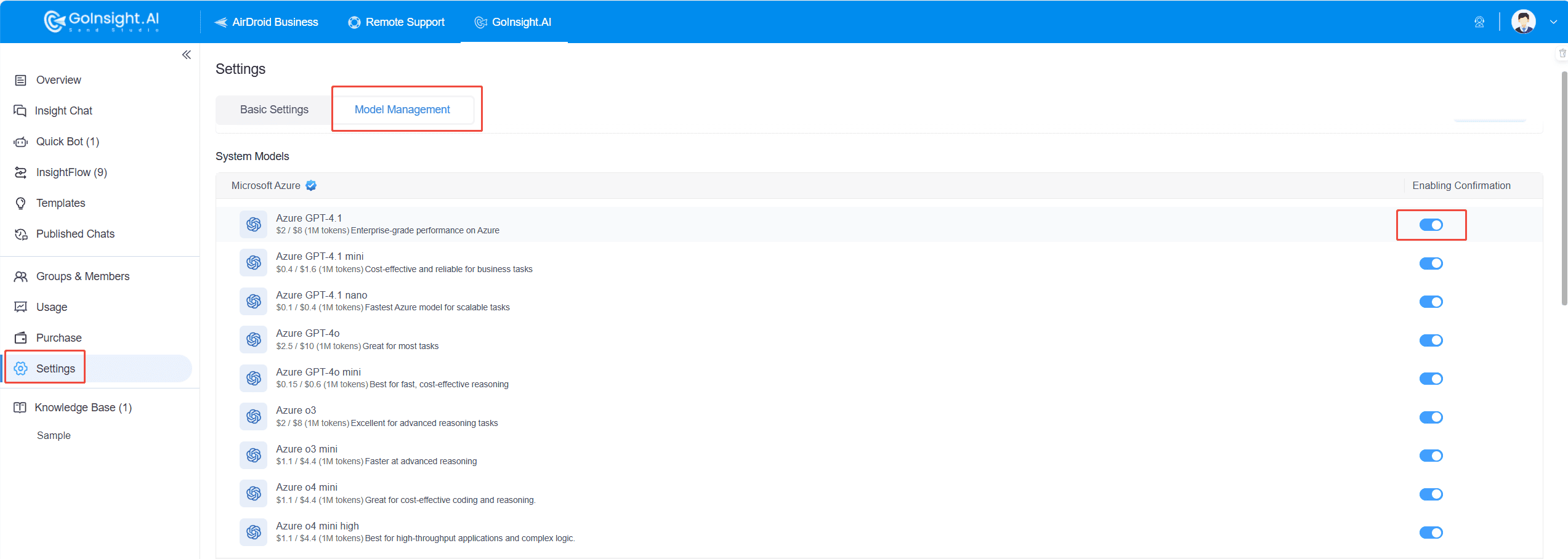
Account owners and super administrators can manage the system models used internally by the enterprise through simple toggle operations. This feature helps enterprises flexibly adjust the application scope of the models while complying with industry standards and regulations, ensuring the compliance of business processes.
Add Custom Models
To meet the diverse needs of enterprises, GoInsight.AI allows users to add their own models. Users can flexibly integrate third-party models with different protocols, such as OpenAI, OLLama, and Google Gemini, according to their specific needs, to further enhance the enterprise's intelligent capabilities.
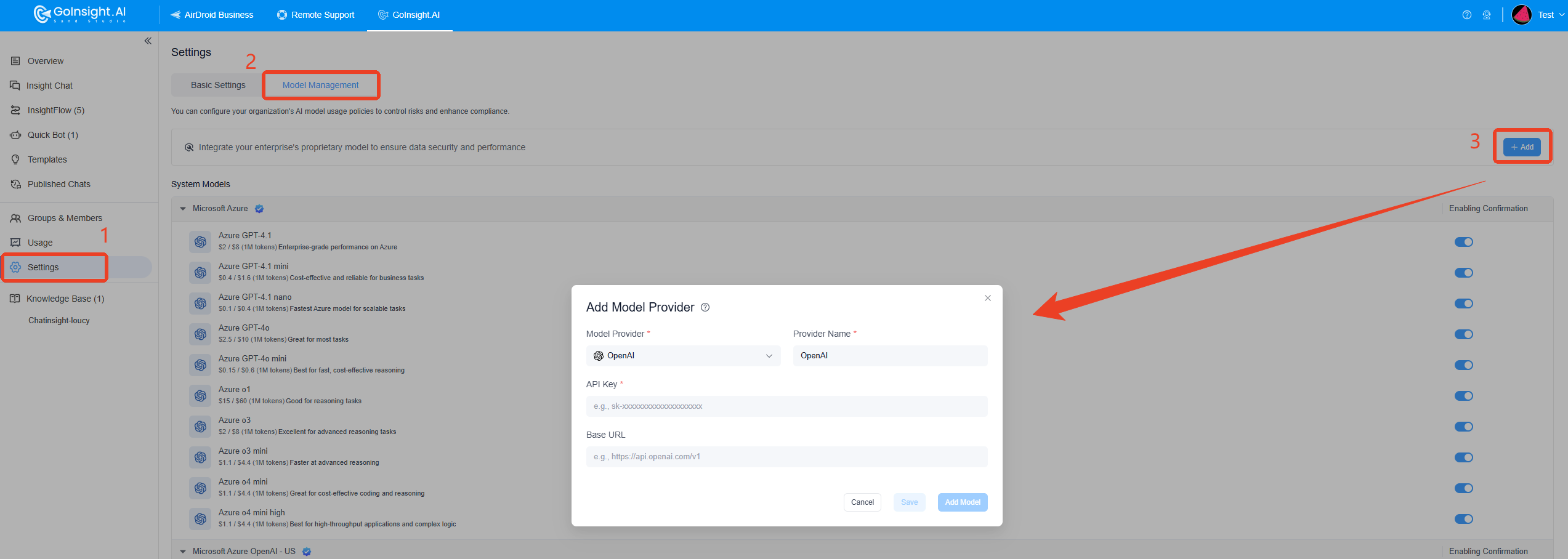
For instructions on how to add an API key to retrieve these models, please refer to:
| Model Provider | Reference Links |
|---|---|
| OpenAI | https://platform.openai.com/api-keys |
| Azure OpenAI | https://portal.azure.com |
| Anthropic | https://console.anthropic.com/keys |
| Qwen | https://dashscope.console.aliyun.com/apiKey |
| OpenRouter | https://openrouter.ai/keys |
| Google Gemini | https://aistudio.google.com/app/apikey |
| Moonshot | https://platform.moonshot.cn/console/api-keys |
| ZHIPU AI | https://open.bigmodel.cn/usercenter/apikeys |
| Cohere | https://dashboard.cohere.com/api-keys |
| SiliconFlow | https://cloud.siliconflow.cn/account/keys |
| Vertex AI | https://console.cloud.google.com |
| DeepSeek | https://platform.deepseek.com/api_keys |
| Baidu Qianfan | https://console.bce.baidu.com/qianfan/ais/console/applicationconsole/applist |
With model management capabilities, GoInsight.AI provides enterprises with a flexible and secure environment for using models. Account owners and super administrators can efficiently manage system models, ensuring compliance in technology applications. With the integration of custom models, enterprises can personalize configurations to meet their specific needs, further enhancing their intelligent operational capabilities. This flexibility brings more innovation opportunities to enterprises, supporting their continued business growth.


Leave a Reply.