
Overview
Tracking AI news across multiple sources is tedious and time-consuming. This workflow automates the entire process: it fetches AI-related articles from GNews and NewsAPI, merges them, then passes the results an LLM node to pick and translate the top 15 into Traditional Chinese with URLs included—delivering a concise daily digest tailored for fast consumption.
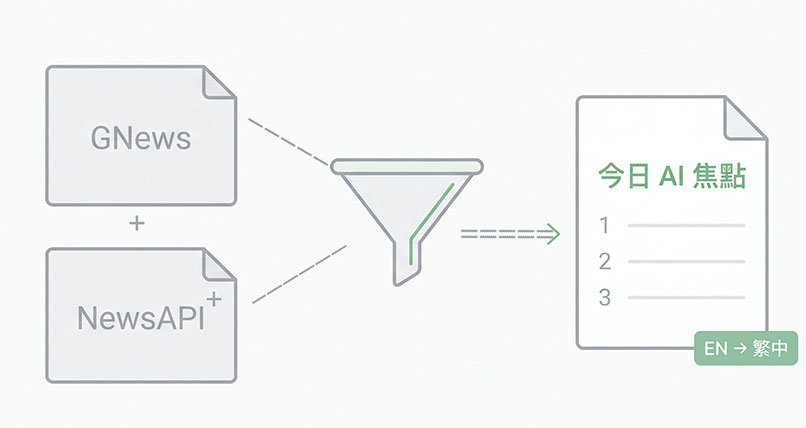
Generated by AI
The Impact
- Eliminate manual news hunting. Aggregate AI news from two APIs automatically every day.
- Condense information smartly. AI selects the 15 most relevant articles for focused updates.
- Bridge language barriers. Translate content to Traditional Chinese while preserving technical terms.
- Accelerate decision-making. Deliver timely, ready-to-use summaries with source links included.
Who This Is For
- Researchers who need daily, concise AI progress updates in Traditional Chinese.
- Product Managers monitoring AI tech and features for strategic planning.
- Editors and Content Teams requiring quick-to-publish AI news summaries for newsletters or websites.
- Data Analysts seeking streamlined AI news aggregation without manual filtering.
How It Works
- Fetch News Articles
- Send keyword and language-filtered requests to GNews and NewsAPI using your API keys to retrieve raw news data.
- Extract and Merge Articles
- Parse the article lists from each API response and merge them into a unified collection for processing.
- AI-Powered Selection
- Use GPT-4.1-mini to select the 15 most relevant AI articles focused on technology progress and applications.
- Translate and Format
- Translate selected articles to Traditional Chinese, preserving key technical English terms, and append article URLs.
- Output Summary
- Generate the final news digest starting with the current date, then complete the workflow and deliver the result.
What You'll Need
Before using this template, make sure you have:
- A valid API key from GNews (gnews.io) to access their news data.
- A valid API key from NewsAPI (newsapi.org) for additional news sources.
- Search keywords relevant to your AI news interest, e.g., "AI" or "artificial intelligence".
- Basic understanding of language codes to filter news, with default set to English ("en").
How to Use
- Step 1. Input API Keys
- Step 2. Set Keywords and Language
- Step 3. Run Workflow
- Step 4. Review Output
- Step 5. Use or Distribute
Enter your GNews and NewsAPI API keys into the respective fields to enable data fetching.
Specify your search keywords and preferred language code (default "en") to target relevant AI news.
Start the workflow to automatically fetch, merge, and process news articles.
Check the generated Traditional Chinese summary with article links and verify accuracy.
Utilize the summarized news for research, product monitoring, or quick publishing.


