
Overview
Users stuck in boredom often drown in generic suggestions or spend time searching manually. This workflow automates intent extraction and taps a dynamic API, filtering and curating activity lists that fit exact needs—turning indecision into instant, relevant recommendations.
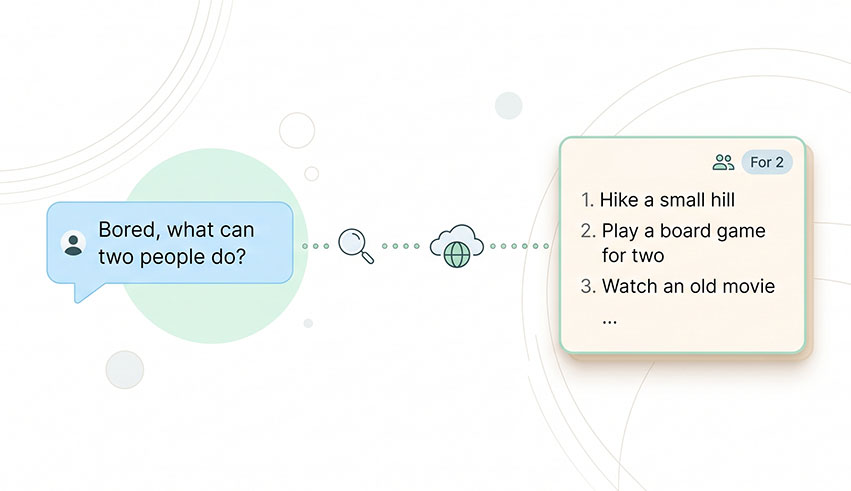
Generated by AI
The Impact
- Extract Intent Precisely. Converts free-text input into exact parameters for targeted API calls.
- Filter Smartly. Selects only the most relevant 6-8 activities from vast API data.
- Generate Engaging Results. Produces human-like, context-aware recommendations.
- Stay Updated. Connects to a live external API ensuring fresh, diverse activity options.
Who This Is For
- Individual Users seeking quick, meaningful activity ideas when boredom strikes.
- Social Groups needing tailored suggestions for two or more participants.
- Team Managers looking for efficient inspiration for group or team-building exercises.
- Content Creators wanting to enrich engagement with curated, relevant activity lists.
How It Works
- Analyze User Intent
- Parse the user's input with an LLM to extract structured JSON parameters: activity type and participant count.
- Fetch Activity Data
- Send a precise API request to the Bored API using extracted parameters to retrieve relevant activities.
- Curate & Format Response
- Use a second LLM to intelligently filter and format the top 6-8 activities into a concise, engaging list.
- Deliver Recommendations
- Provide the user with a friendly, relevant activity list tailored to their intent and participant context.
- Handle Errors Gracefully
- If no suitable activities are found, suggest trying a different activity type to maintain engagement.
What You'll Need
Before using this template, make sure you have:
- Access to the Bored API endpoint (no special credentials required).
- Integration with Azure GPT-4.1-mini or equivalent LLM for intent analysis and content curation.
- A chat interface or input method to submit natural language queries.
How to Use
- Step 1. Initiate Conversation
- Step 2. Intent Extraction
- Step 3. Retrieve Activities
- Step 4. Curate Recommendations
- Step 5. Review Results
Start by typing a natural language query expressing your activity needs or boredom context.
The workflow extracts activity type and participant count from your input automatically.
It queries the external Bored API with precise parameters to fetch suitable activities.
The system filters and formats the best matches into a clear, friendly list.
Check the recommended activities and verify they align with your original intent and preferences.


