

- Is Your Team Suffering from Ticket Overload?
- Two Kinds of Busy: Quantity vs. Interruption
- Why Just Hiring More People Often Backfires
- Fix the Workflow and Add Smart Automation
- Automate repetitive, low-value tasks
- Use AI chatbots for deflection
- Implement smart ticket routing
- Build a centralized knowledge base
- Create clear ownership rules
- Add proactive status updates
- How GoInsight.AI Helps You Get There
- FAQs
Key Takeaway
- High ticket volume is difficult, but constant pings, handoffs, and unclear ownership are the true productivity killers.
- Adding more agents to a broken, unpredictable workflow simply multiplies the confusion and operational drag.
- Smart automation, clear ticket routing, and proactive status updates are the only way to resolve the root cause of team overwhelm.
Imagine this. You're a customer support agent. You start your shift with 35 tickets in your queue. By 10 AM, that number has climbed to 42.
You pick a ticket that needs focus. Maybe it will take eight minutes.
Three minutes in, a "following up" email from another customer. Five minutes in, a teammate asks: "Does this ticket belong to you?" Seven minutes in, the system assigns you another urgent issue. That first ticket takes twenty minutes to finish. You look at your queue. It now has 44 tickets. You're not making progress. You're just running in place.
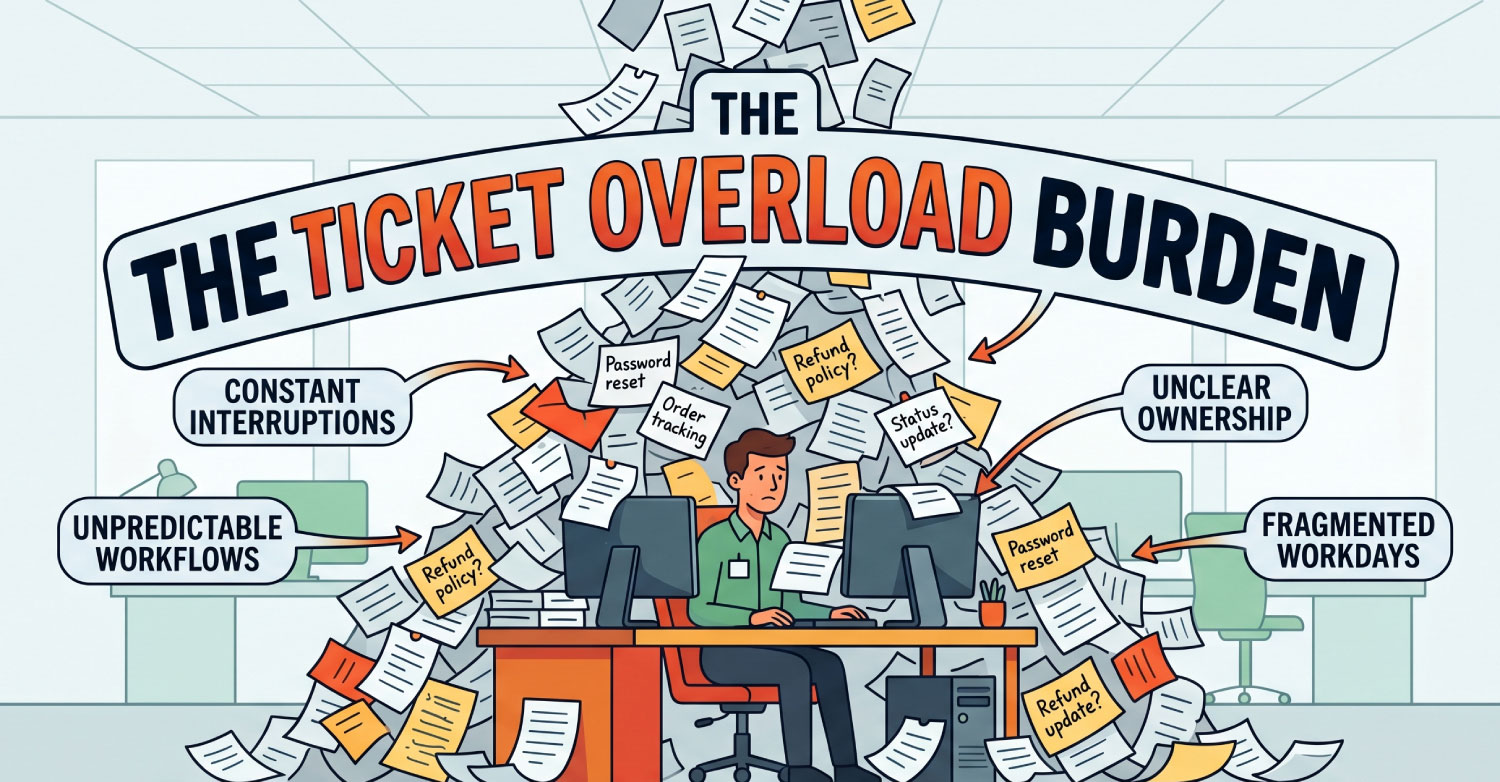
This doesn't mean you're a slow agent. It means your team is suffering from ticket overload, and the system wasn't built to handle it. Leaders often see a growing queue and assume they need more people. But hiring doesn't fix the real problem: constant interruptions and chaotic workflows.
Is Your Team Suffering from Ticket Overload?
Before adding headcount, tools, or process changes, support leaders need to diagnose whether ticket overload is the real root cause. Most teams assume they simply have "too many tickets," but ticket overload usually stems from inefficient workflows, constant interruptions, and unclear ownership.
Use the checklist below to evaluate your current situation.
| Symptom | Rarely (0-1 time/week) | Sometimes (2-3 times/week) | Often (4+ times/week) |
|---|---|---|---|
| Tickets in queue grow faster than you can close them | ☐ | ☐ | ☐ |
| Agents frequently ask "who should handle this?" | ☐ | ☐ | ☐ |
| Customers send "just following up" emails daily | ☐ | ☐ | ☐ |
| New hires take months to become productive | ☐ | ☐ | ☐ |
| Senior agents complain about constant interruptions | ☐ | ☐ | ☐ |
| Overtime is the norm, not the exception | ☐ | ☐ | ☐ |
How to interpret your results:
- Mostly Often: Severe ticket overload is likely the primary issue.
- Mostly Sometimes: The team is at risk. Workflow inefficiencies are already compounding.
- Mostly Rarely: Your support strain comes from other operational challenges.
If you checked "Often" for two or more symptoms, your team likely doesn't need just more hiring; it needs better systems.
According to Salesforce, 56% of service agents report burnout, and 77% saying workloads and case complexity have increased compared to the previous year. At this stage, ticket overload isn't just an isolated problem, it's an industry-wide standard.
Two Kinds of Busy: Quantity vs. Interruption
Not all overwhelm is created equal. Most support leaders measure workload purely by queue size. But customer support efficiency is often damaged by a second, more insidious force: interruption.
| Type of Pressure | Cause | Can Hiring Help? | The Hidden Cost |
|---|---|---|---|
| Quantity Pressure | High ticket volume | Partially | Increased payroll, extended training until productivity gains |
| Interruption Pressure | Pings, handoffs, unclear ownership, consistent follow-ups | Rarely | Focus loss, burnout, lower throughput |
Quantity Pressure is the obvious problem: the team has more tickets than it can handle. Hiring more staff can help, but it's expensive and acts as a temporary patch.
Interruption Pressure is where burnout accelerates. Agents lose momentum because they're constantly:
- Answering internal questions
- Switching between systems
- Handling unclear ticket ownership
- Responding to status requests
- Correcting handoff mistakes
This creates fragmented workdays. Salesforce reports that service representatives spend only 46% of their time actively helping customers; the rest goes to administrative work and internal coordination. If workflows stay chaotic, adding headcount only increases the number of people creating and receiving interruptions.
Why Just Hiring More People Often Backfires
When support queues spike, leadership's first instinct is: "We need more agents."
But new hires don't become productive immediately. For weeks or months, they're on "training wheels." They ask senior staff for help, need ticket reviews, provide inconsistent responses, and contribute to unclear handoffs.
Each of these adds a new interruption layer to an already stressed system. If your support infrastructure lacks documented ownership, clear escalation paths, or automated routing, adding more people multiplies the inefficiency.
It leads to:
- More Slack pings
- More duplicated work
- More operational drag
Hiring solve labor shortages and quantity pressure, it does not solve broken workflows.
At this point, you might be wondering "Alright, what actually works then?"
The answer is eliminating the chaos through automation, process clarity, and structured systems.
Fix the Workflow and Add Smart Automation
To effectively reduce ticket overload, support teams need to redesign of how tickets enter, move through, and exit queues.
Tip 1. Automate repetitive, low-value tasks
A majority of tickets should never require human intervention. This is most apparent with low-value tasks, such as:
- Password resets
- Order tracking
- Account verification
- Refund policy questions
- Basic troubleshooting FAQs
Automating these through a rule-based chatbot or dedicated, comprehensive pages will significantly reduce queue inflation and free agents up for higher-value, more complex issues.
Tip 2. Use AI chatbots for deflection
AI-powered bots can greatly alleviate ticket overload by intercepting simple issues before they become tickets.
Training a chatbot on relevant support team resources means:
- Fewer unnecessary queue entries
- Reduced first-response burden
- Improved customer support efficiency
- Better customer self-service capabilities
The goal here isn't to replace human agents; it's reserving them for high-effort tickets, ensuring only complex issues reach their queue.
Tip 3. Implement smart ticket routing
When agents constantly ask "who handles this?", productivity leaks. Smart ticket routing automatically assigns tickets to the right support agent or queue, based on:
- Issue category
- Customer type
- Urgency level
- Account tier
- Product line
- Specified keywords
This takes guesswork out of the equation, dramatically reducing handoffs and unnecessary pings.
Tip 4. Build a centralized knowledge base
Scattered information creates dependency on senior staff. A strong, searchable knowledge base helps customers solve issues independently and allows agents to resolve tickets faster without interrupting team leads.
Tip 5. Create clear ownership rules
Every support function needs documented responsibilities. For example, billing issues go straight to finance, and API errors go directly to Tier 2 technical support. Clear ownership stops tickets from bouncing around and makes response times predictable.
Tip 6. Add proactive status updates
Constant "just following up" emails is a workflow failure. An automated notification system should inform customers at critical stages, like: ticket received, in progress, escalated and resolved. This protect agent focus and improve customer confidence.
How GoInsight.AI Helps You Get There
You could build this infrastructure yourself by connecting your CRM to your helpdesk via API, writing custom routing logic, and training an LLM. It is doable, but it takes engineering teams weeks to deploy and maintain.
Or you can use GoInsight.AI.
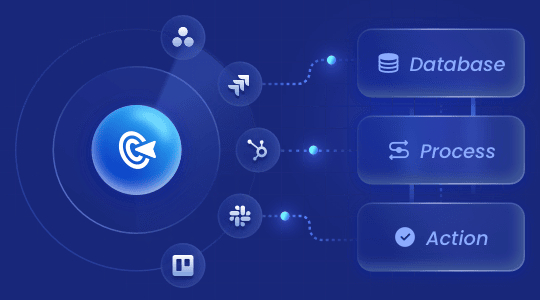
GoInsight.AI is a low-code AI workflow workbench that are suitable for customer service automation. It lets you connect your existing tools — Salesforce, HubSpot, Zendesk, Intercom, Slack, webhooks — into visual, AI-powered workflows without requiring engineering hours.
Here's what you can build in a few days:
- Auto-deflection of repetitive questions: A built-in LLM node reads every incoming ticket. If it detects a simple FAQ ("password reset," "return policy," "track my order"), it answers instantly from your knowledge base. Only complex tickets reach your agents.
- Smart routing: Define rules like "billing questions → Tier 2, API errors → engineering queue, VIP customers → priority channel." GoInsight.AI routes every ticket based on your rules, so agents never have to ask "who should handle this?"
- Proactive status updates: When a ticket's SLA clock hits 50%, the system automatically email the customer an update: "Your request is in progress and will be answered within X hours." No more "is this done yet?" interruptions.
- Centralized workflow visibility: All rules, logs, and decisions in one dashboard. No more guessing.
Conclusion
If your support team feels overwhelmed, ticket overload may be the real culprit, but not as you might think.
For many organizations, the deeper problem isn't just ticket volume: it's a chaotic workflow that causes constant interruptions, unclear ownership, and fragmented systems that increase repetitive manual work.
Hiring alone rarely fixes the issue. Instead, sustainable improvement comes from smarter automation, better routing, a centralized knowledge base, and proactive communication. These build truly scalable support.
A larger headcount isn't always the fastest route to improving efficiency. The fastest route is clearer systems.
FAQs



Leave a Reply.