
Overview
Manual research means juggling vague queries, surfing countless pages, and sifting through noise. This workflow automates all that: it crafts precise search queries, pulls top web content, extracts only what's relevant, and compiles it into a polished Markdown report—freeing you from drudgery and speeding insight delivery.
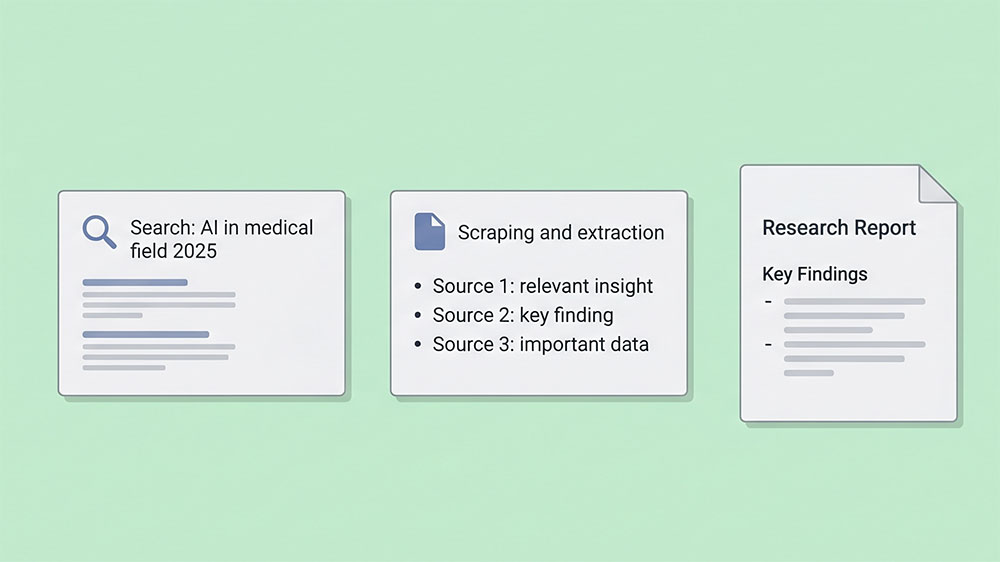
Generated by AI
The Impact
- Slash research time. Automate query generation and data gathering for rapid results.
- Filter noise. Extract only relevant content, eliminating distractions and fluff.
- Standardize output. Produce clean, structured reports ready for immediate use.
- Boost accuracy. Base insights strictly on curated web data, avoiding guesswork.
Who This Is For
- Academic Researchers conducting literature reviews and data collection.
- Market Analysts gathering competitor and industry trend information.
- Content Creators needing reliable factual background for articles or papers.
- Technical Investigators exploring new technologies and products rapidly.
How It Works
- Intelligent Query Generation
- Analyze your initial topic and generate multiple targeted search queries using an LLM for broad, deep coverage.
- Automated Web Search
- Run each query through SerpAPI to retrieve top Google search results and extract their URLs.
- Webpage Content Scraping
- Fetch and parse webpage content via Jina Reader API, stripping ads and irrelevant sections for clean text.
- Core Information Extraction
- Use an LLM to extract only the text segments directly answering your original query from scraped content.
- Comprehensive Report Writing
- Aggregate extracted data into a professional Markdown report: summary, key findings, and detailed analysis.
What You'll Need
Before using this template, make sure you have:
- A SerpAPI key for conducting Google searches programmatically.
- A Jina Reader API key to fetch and parse webpage content efficiently.
- A clear research topic or question as your initial query input.
How to Use
- Step 1. Enter Your Query
- Step 2. Provide API Keys
- Step 3. Run the Workflow
- Step 4. Review the Generated Report
- Step 5. Verify Results
Input the research topic or question you want to explore, e.g., "Application trends of AI in the medical field in 2025".
Paste your SerpAPI and Jina Reader API keys into the respective fields to enable search and content extraction.
Trigger the automation. It will generate detailed queries, search Google, scrape content, and extract relevant info.
Receive a structured Markdown report containing a summary, key findings, and thorough analysis based on sourced data.
Check the report content for completeness and relevance to ensure it meets your research needs accurately.


