
Overview
Manual triage of HubSpot inbox messages is slow and error-prone, especially when filtering trial extension requests or payment issues. This workflow automates conversation parsing, contact enrichment, owner assignment, note updating, sequence enrollment, and email notifications, eliminating bottlenecks and accelerating customer follow-up.
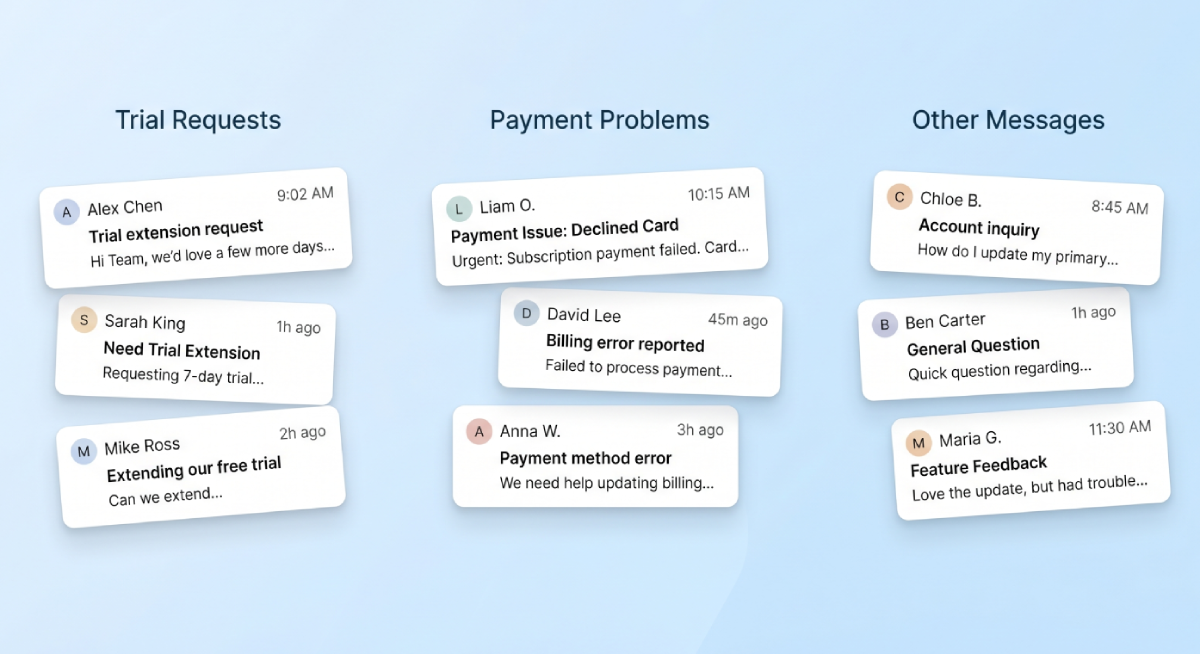
Generated by AI
The Impact
- Stop manual inbox overload. Auto-identify key conversation types and reduce human screening.
- Flag payment failures instantly. Trigger email alerts and update contact records without delay.
- Enroll trial applicants automatically. Add contacts to extension sequences and log notes seamlessly.
- Close processed conversations. Maintain inbox hygiene and data consistency effortlessly.
Who This Is For
- Customer Success Managers automating trial extension follow-up.
- Support Teams handling payment failure notifications and escalations.
- CRM/Operations Staff maintaining contact data quality and owner assignments.
- Sales Managers ensuring timely response to critical customer inquiries.
How It Works
- Calculate Time Range
- Generate ISO timestamps and millisecond values to filter recent inbox conversations.
- Fetch and Iterate Threads
- Pull conversation threads updated after the timestamp and iterate through each message ID.
- Extract and Enrich Contacts
- Use LLM to extract contact emails, then fetch contact properties and assign owners based on country and status.
- Check and Update Notes
- Verify if trial extension notes exist; if not, patch contact properties and add notes accordingly.
- Enroll and Notify
- Enroll contacts in trial extension sequences, send email notifications for payment issues, and close conversations.
What You'll Need
Before using this template, make sure you have:
- A HubSpot account configured with Inbox, contact objects, notes, and an automation sequence for trial extensions.
- HubSpot API credentials authorized for all necessary API calls.
- Gmail SMTP credentials with an application-specific password for sending emails via the embedded script.
- Contact properties in HubSpot for tracking inquiry date, notes, owner, and sequence enrollment status.
How to Use
- Step 1. Configure Credentials
- Step 2. Prepare HubSpot Environment
- Step 3. Input Timestamp
- Step 4. Run Workflow
- Step 5. Verify Results
Set up HubSpot API and Gmail SMTP credentials in the workflow parameters.
Ensure Inbox, contact properties, notes, and trial extension automation sequences are ready.
Provide the current UTC date and time to calculate recent conversation filters.
Execute the workflow to process inbox messages, update contacts, enroll in sequences, and send notifications.
Check HubSpot for updated contact notes, sequence enrollments, closed conversations, and sent emails.


