
Imagine opening the sales inbox and having numerous messages flood in at once. Every message might lead to a potential lead, but they have different needs. Some want to extend their trials, while some need to cancel their subscriptions. In terms of lead generation, all of these show opportunities, but the key is to qualify which ones are worth pursuing.
The sales team of Sand Studio also faced such problems when filtering out actual prospects in HubSpot. With AI capabilities, it's another story now.
The Challenges of Lead Qualification
Lead qualification is time-consuming, sometimes tedious, and high-risk. In practice, our sales team spent more time fixing HubSpot data and sorting the inbox than engaging with leads in the past.
Poor efficiency in follow-up
The HubSpot sales inbox frequently receives emails from the system's no-reply email. But the "contact" is not associated with the prospect, but instead with the email's contact page by default. Reps used to manually cancel such associations from the message and then match them with the correct contacts in HubSpot. That makes simple follow-ups into time-consuming CRM maintenance work.
Hidden bottleneck and missed follow-ups
A common phenomenon is that a shared inbox creates a hidden bottleneck. Because the sales inbox might receive numerous messages daily, making it almost impossible to cleanse and filter such data by hands. This increases the risk of delay and overlook of important lead signals, and missed opportunities.
Fragmented follow-up execution
Even after leads are correctly routed, follow-up actions might reduce success rates. Some studies have shown that up to 30% of leads are never contacted, often due to unclear ownership or missed handoffs. It is very common in the sales process, since some sales teams lack of consistent executions and standards.
Automate Lead Qualification in HubSpot
Our sales team utilizes HubSpot every day to write notes or forward them to other sales staff and teams. It provides sales staff with a centralized platform to directly respond to every inquiry. But HubSpot has a limitation in message categorization. It cannot categorize emails in detail.
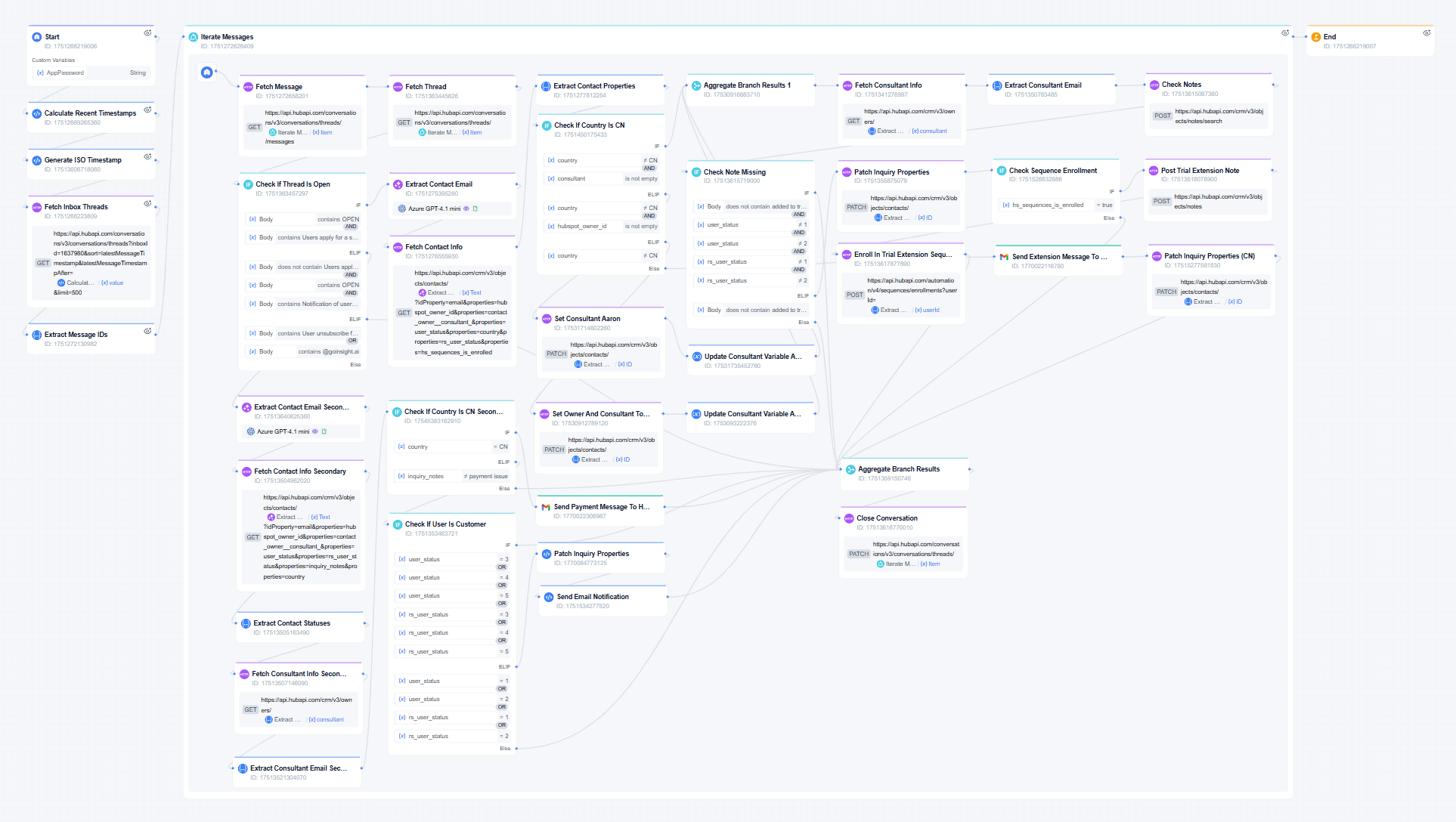
To change these issues, our sales team created an Inbox System Notification Handler using GoInsight.AI to set a standard logic and automate the process of filtering leads out of HubSpot.
How it works
- Every three hours, the workflow scans the HubSpot inbox and gets all inbox messages.
- It determines message statuses and email addresses using LLM.
- Then, it gets contract information and categorizes messages in detail, like trial extension, payment issue, cancel subscription, and demo request.
- Based on issues and contacts, it can assign contacts to specific team members and send notifications to the messaging app, patch HubSpot properties, send emails, check notes, etc.
- It records the history of how the prospects are assigned for audit.
Results
"This workflow helps save 30 minutes per day per staff member by automatically managing and processing the sales inbox."
The time that was wasted in processing inbox messages can now be spent on doing better lead qualification. In doing so, the sales team has increased the sales conversation rate. By automating inbox handling, the team is not just improving efficiency but fundamentally changing how leads are processed, prioritized, and converted.
What to Expect In the Future
The concept of auto inbox handling can be applied to make similar tools for most departments or companies. Besides workflows specifically for the HubSpot inbox, our sales team aims to apply GoInsight.AI to automate lead generation and qualification on other platforms in the future.





Leave a Reply.