
Every sales team knows the frustration: visitors come to your site, ask a question, and disappear before anyone can respond. Seconds matter—and losing them means losing revenue.
That’s why AI sales bots have become essential. They don’t just answer questions; they qualify leads, guide buying decisions, and keep your pipeline moving even when your team is offline.
In this guide, you’ll find a clear comparison of the 7 best AI sales chatbots to help you choose the one that fits your workflow and growth goals.
Quick Overview: The 7 Best AI Sales Chatbots
If you just want a fast snapshot before diving in, here’s a quick look at what each tool brings to the table.
- GoInsight.AI — Best for agentic, end-to-end sales automation
- Drift — Best for high-velocity conversational sales teams
- Intercom Fin AI — Best AI for businesses already using Intercom
- HubSpot Chatbot — Best for simple qualification inside HubSpot CRM
- Tidio AI — Best budget-friendly option for SMB sales and support
- Chatfuel — Best for social-channel lead capture (FB/IG)
- Ada — Best for enterprise-grade automation across large teams
Top 7 AI Sales Chatbots to Boost Your Business
1GoInsight.AI
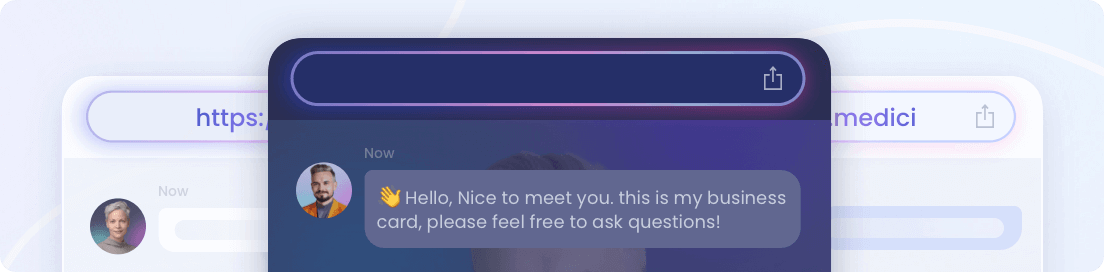
GoInsight.AI’s Quick Bot is built for one purpose: turning visitors into qualified leads fast. It delivers natural, sales-focused conversations, pulls answers directly from your product knowledge, and adapts its responses based on context—not templates. And unlike most chatbots here, Quick Bot can also trigger automated workflows behind the scenes, giving teams both instant engagement and true follow-through.
Pros:
- Super fast to build a sales-ready AI chatbot
- Enterprise-grade security and audit trails
- Publishes anywhere—web widget, link, embed, or chat interface
- Extensive customization for appearance and conversational flow
Cons:
- Less brand recognition compared to industry giants
- Advanced automation setup may take initial time
Pricing:
GoInsight.AI offers a 30-day free trial, with full pricing customized based on your enterprise needs.
2Drift
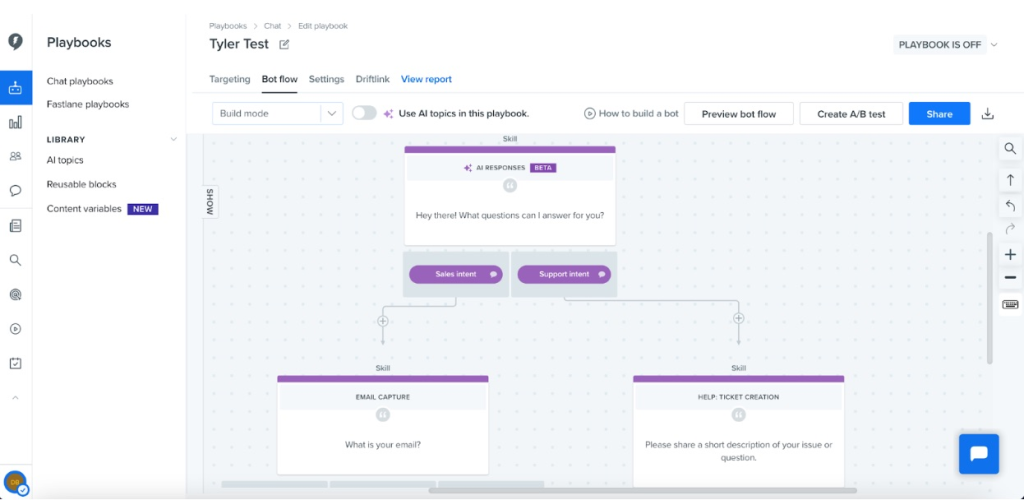
Drift is a conversational sales platform powered by an AI Chat feature that engages prospects through real-time, personalized chats. Enterprises and ecommerce businesses use Drift to identify high-intent buyers, qualify leads, book meetings, and route qualified prospects to the right sales reps for timely follow-up.
Pros:
- Excellent lead qualification and meeting scheduling AI bot
- Automatically direct qualified leads to the right reps
- Smooth integration with major CRM and marketing tools
- Strong analytics dashboard for conversion tracking
Cons:
- Most valuable features are locked behind the higher-priced plans.
- Involves a learning curve and setup knowledge for new users.
Pricing:
Drift doesn’t list pricing publicly, but it’s widely considered costly.
3Intercom Fin AI
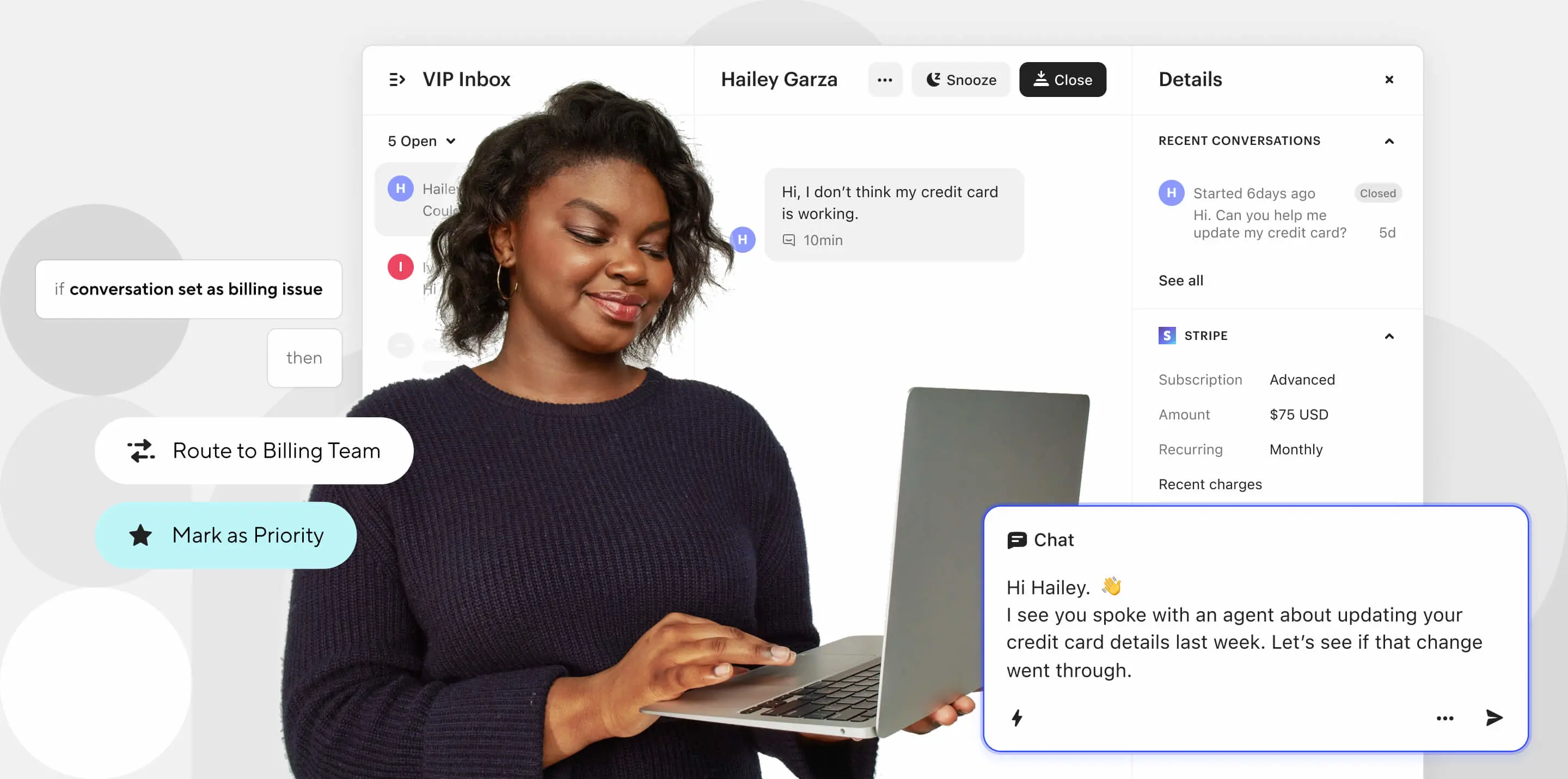
Fin is a top-tier AI bot specializing in customer service, such as answering questions and handling complex queries more effectively. Enterprises can train Fin on their procedures, knowledge bases, and policies, and then deploy it across all customer touchpoints, including existing helpdesks, the Intercom Customer Service Suite, and custom channels.
Pros:
- Highly intelligent, context-aware automated conversations
- Excellent integration with the Intercom ecosystem
- Strong analytics within the Intercom dashboard
- Operates across multiple channels from a single inbox
Cons:
- Works best only with a full Intercom infrastructure
- Cost can increase sharply with high volume
- Not built specifically for sales
Pricing:
Premium usage-based pricing, starting at $0.99 per resolution with a company’s current help desk.
4Hubspot
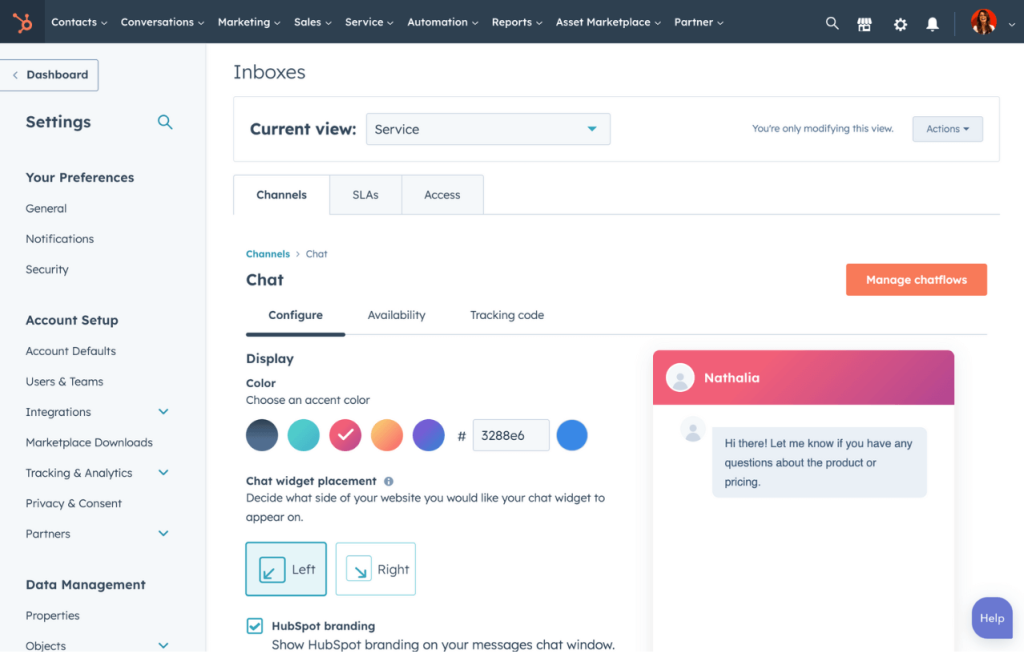
HubSpot’s conversational AI for sales tools allow enterprises to build AI chatbots that can increase sales and improve customer interactions. The chatbots can qualify leads, answer sales questions, and book meetings. To enable this, the users must create and host a knowledge base within HubSpot. The chatbot builder also comes with customization, integration, and tracking capabilities.
Pros:
- Perfect integration with the HubSpot CRM
- Easy to set up with a drag-and-drop builder
- Fast onboarding for small teams
Cons:
- Works within the HubSpot ecosystem, not compatible with other help desks
- Training resources are minimal and elementary
- The pricing is complicated, bundled, and costly
Pricing:
Chatbot integrates into the platform cost. Pricing starts at $45/mo for limited features. The top-tier plan costs $7000/mo
5Tidio AI
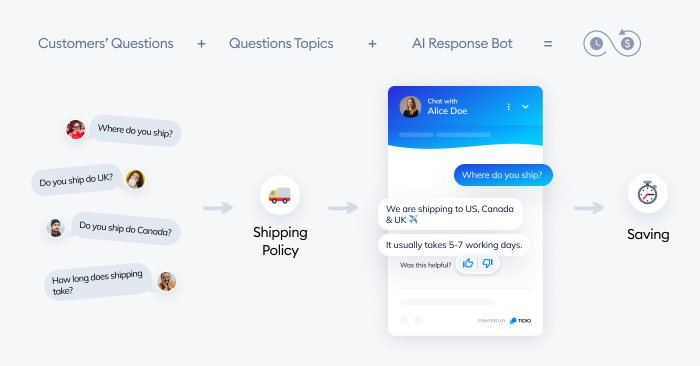
Tidio combines live chat and AI chatbot capabilities into one package for businesses looking to improve their customer service. Tidio’s AI chatbot called Lyro also provides some help with lead generation and sales, but help desk is its core competency. It handles routine customer inquiries while allowing seamless handoff to human agents.
Pros:
- Simple setup, minimal technical knowledge required
- Affordable plans
- Built-in email and chat features
- Good integration with e-commerce platforms like Shopify
Cons:
- Limited advanced AI capabilities
- Basic analytics compared to enterprise tools
- Less powerful for complex enterprise data integration
Pricing:
Lyro AI agent starts at $39/month for 50 conversations with monthly billing
6Chatfuel
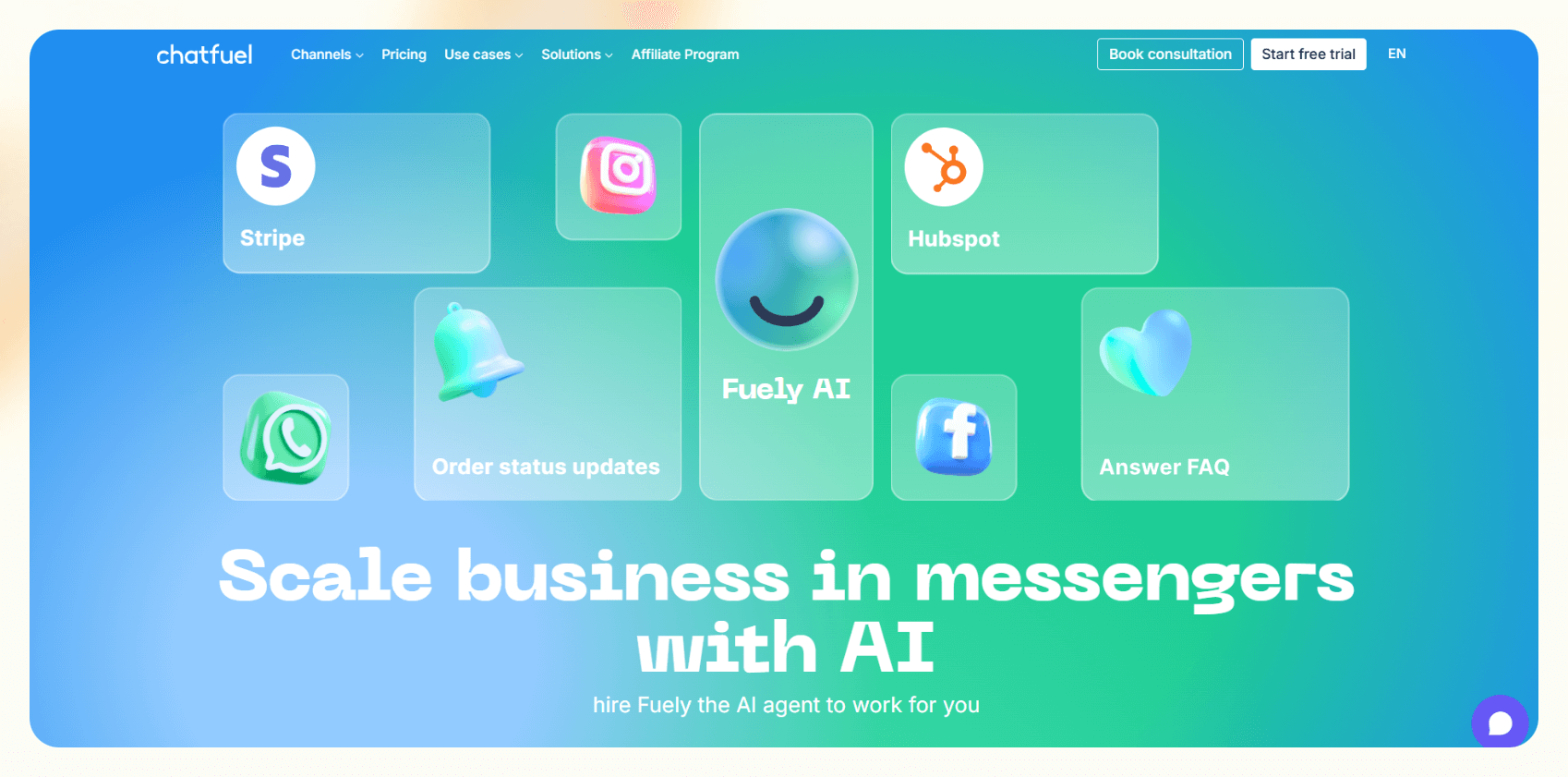
Chatfuel focuses on conversational commerce for social channels, including Facebook, Instagram, and WhatsApp. Businesses use it to send targeted, automated messages to customers who leave items in their carts, encouraging them to complete their purchase. Creating Chatfuel AI bots for sale is easy, thanks to the easy-to-use flow builder.
Pros:
- Strong social channel support for Meta platforms
- Intuitive, no-code interface for building chat flows
- Good integration with e-commerce platforms
- Built-in templates for campaigns and peak-season sales
Cons:
- Limited to Meta platforms and web
- Less effective for complex sales conversations
- Less enterprise-grade data governance and intelligence capability
Pricing:
Different pricing tier. Basic plan for Facebook starts at $23.99 for 1000 conversations/mo. Extra conversations cost $0.02/each.
7Ada
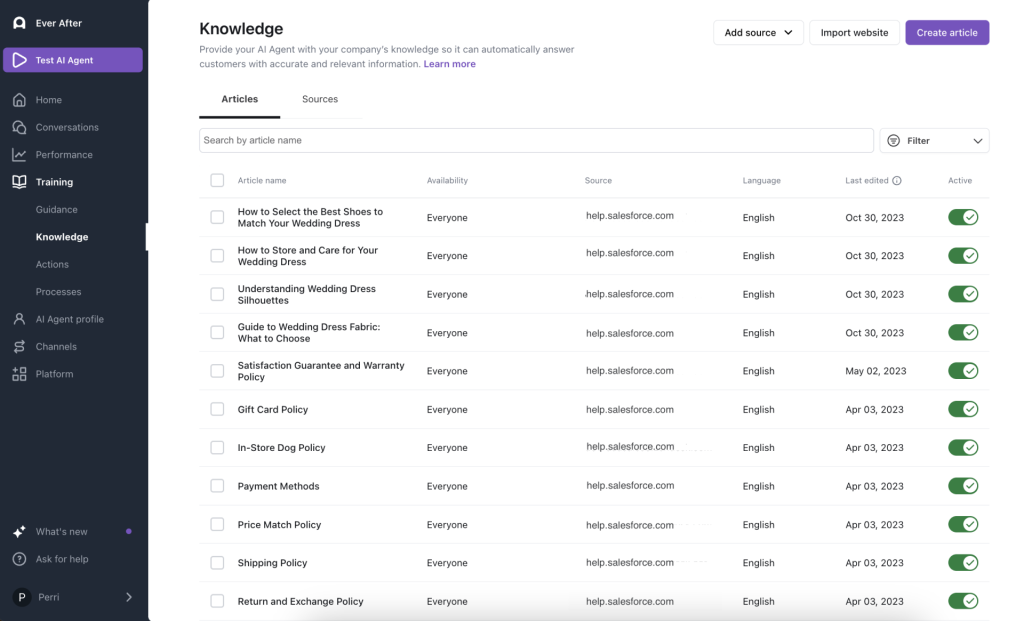
Ada is an AI-native customer service agent that creates personalized brand interactions through advanced natural language processing. Enterprises use Ada’s AI chatbot to resolve customer issues and answer questions automatically, which indirectly supports sales by qualifying leads. The AI agents provide multi-channel support across social, chat, email, and voice.
Pros:
- Strong natural language processing capabilities
- Integration with multiple CRMs, including Zendesk
- Clean interface with on-demand support features
- Omnichannel coverage and SLA-friendly controls
Cons:
- Less focused on active sales tasks like scheduling meetings
- Well-maintained knowledge base is required for effective setup
- Significant overhead for small teams
Pricing:
Enterprise pricing based on custom quotes.
Comparison Table: Which AI Sales Bot Best Fits Your Business
To help you compare the top AI sales chatbots, we evaluated them across five key factors that matter most for sales teams: sales performance, integration flexibility, AI capabilities, customization, and pricing.
| Tool | Sales Performance | Data & System Integration | AI Capabilities | Customization & Setup | Pricing & Value |
|---|---|---|---|---|---|
| Drift | Excellent | Strong CRM & site | Strong | Flexible, enterprise-ready | Higher cost |
| GoInsight.AI | Excellent | Extensive (CRM, KB, workflows) | Advanced & agentic | Highly flexible, fast setup | High value |
| Intercom Fin AI | Strong | Best within Intercom ecosystem | Smart responses | Moderate flexibility | Mid–high |
| HubSpot Chatbot | Moderate | Strong with HubSpot CRM | Basic | Very easy for HubSpot users | Great value |
| Tidio AI | Moderate | Decent | Basic | Easy, SMB-friendly | Very affordable |
| Chatfuel | Basic | Limited | Basic | Simple | Low cost |
| Ada | Strong | Robust enterprise connectors | Mature AI | Steeper setup | Enterprise pricing |
How to Choose the Right AI Sales Chatbot
Not all AI chatbots for sales are created equal. Even the best sales chatbots differ in terms of conversational flow, AI technology, specialization, development, deployment, and performance. Which AI sales chatbot is right for an enterprise depends on business needs, objectives, budget, constraints, and many other factors.
1. Define sales objectives
For starters, the first step is to define their primary sales objective. Are you looking for a simple lead capture solution, or do you need full pipeline automation? The answer will help determine the complexity of the chatbot and narrow down the options.
2. Align budget with team size
Businesses also need to align budgets with team size and goals. A high-end platform may be overkill for a small team, or enterprise-grade analytics might not be essential for all organizations.
3. Assess compatibility
Compatibility of the AI chatbot with an entity’s existing systems, website, workflows, and CRM is also super important. Even the best sales chatbot is useless if it doesn't integrate with your existing systems.
4. Consider security and compliance
Plus, check the vendor's data handling policies because data security and compliance should be non-negotiable, especially for the B2B and regulated industries like healthcare and finance.
5. Start with a trial
It is a good idea to start with a free trial or low-cost plan to test the user interface and core features of an AI chatbot. If you’re satisfied, only then should you consider upgrading.
How to Build an AI Sales Chatbot with GoInsight.AI
Building a sales-focused AI chatbot with GoInsight.AI only takes a few minutes. Here’s the quickest way to create a bot that captures leads, answers sales questions, and supports your entire funnel.
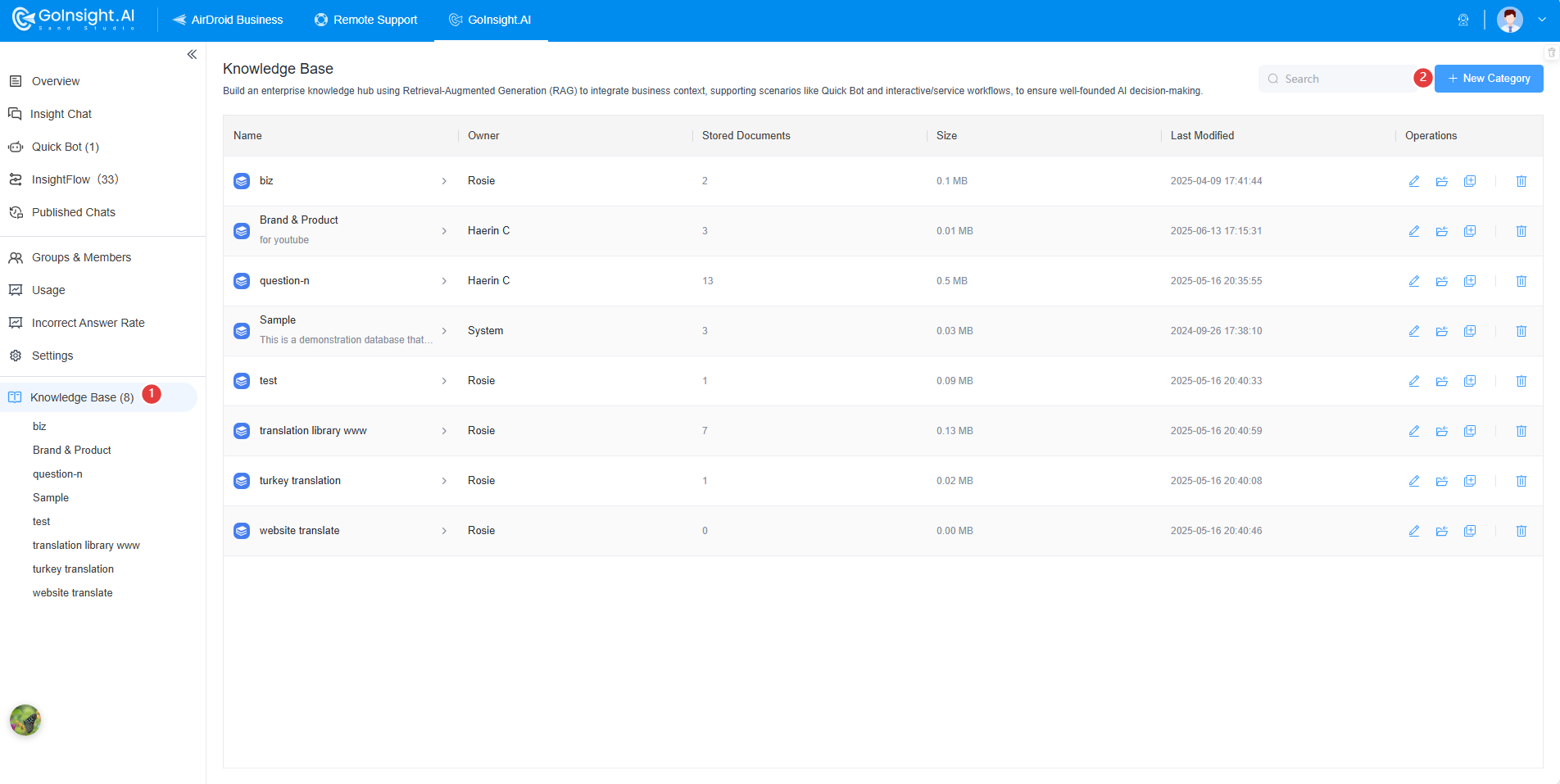
- Step 1.Create a Knowledge Base
- First, sign up your GoInsight.AI account. Select "Knowledge Base" and create a new category. Open the category and add your data. You can type, upload documents, and import webpages. When parsing finishes, click "Train" so the model can learn from your data.
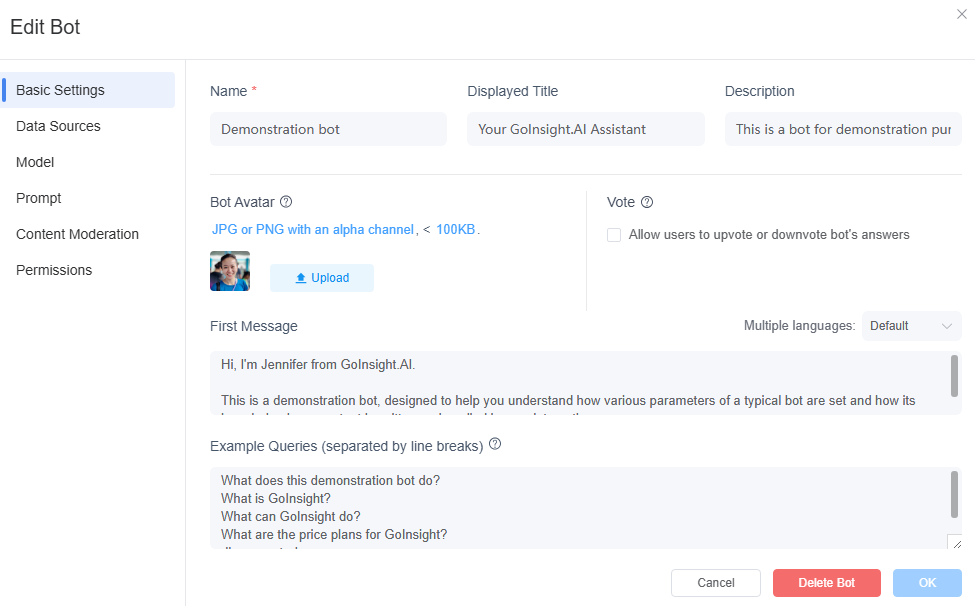
- Step 2.Build Your AI Sales Chatbot
- Open the Quick Bot tab, click "New Bot", choose "General Bot", and name your chatbot. Select your knowledge base, adjust the temperature and reference style, configure prompts, enable content moderation, and choose permissions. You can also customize the avatar, first message, and example questions.
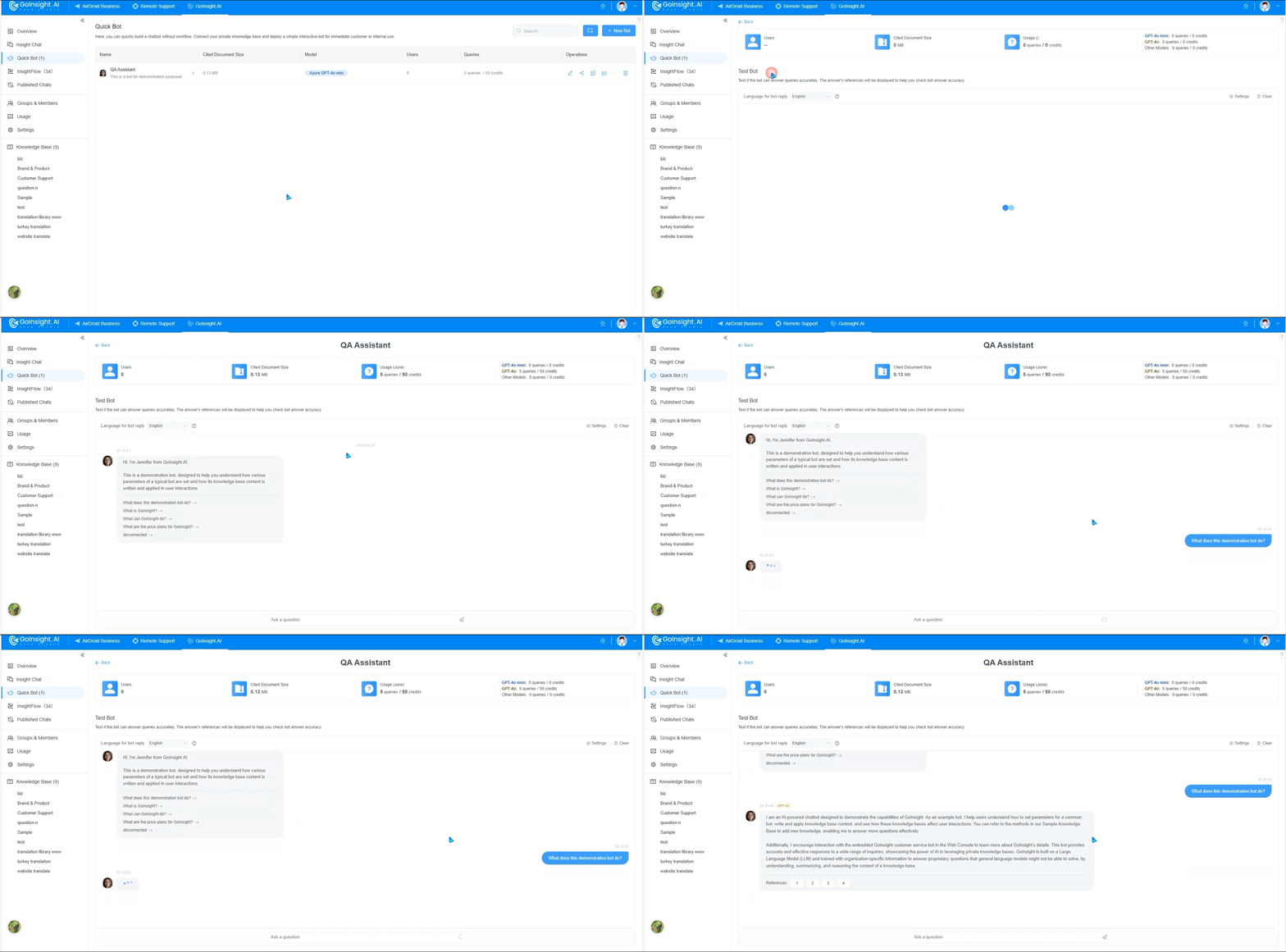
- Step 3.Test Your Chatbot
- Click your bot’s name to open the test chat window. From there, verify responses, behavior, and language detection.
- Step 4.Share & Manage Your Chatbot
- Use the "Share" menu to generate a link, iframe embed, or chat widget. Customize its appearance and apply security settings like passwords, IP restrictions, or domain controls. Check "Pubished Chats" anytime to review chats and improve accuracy.
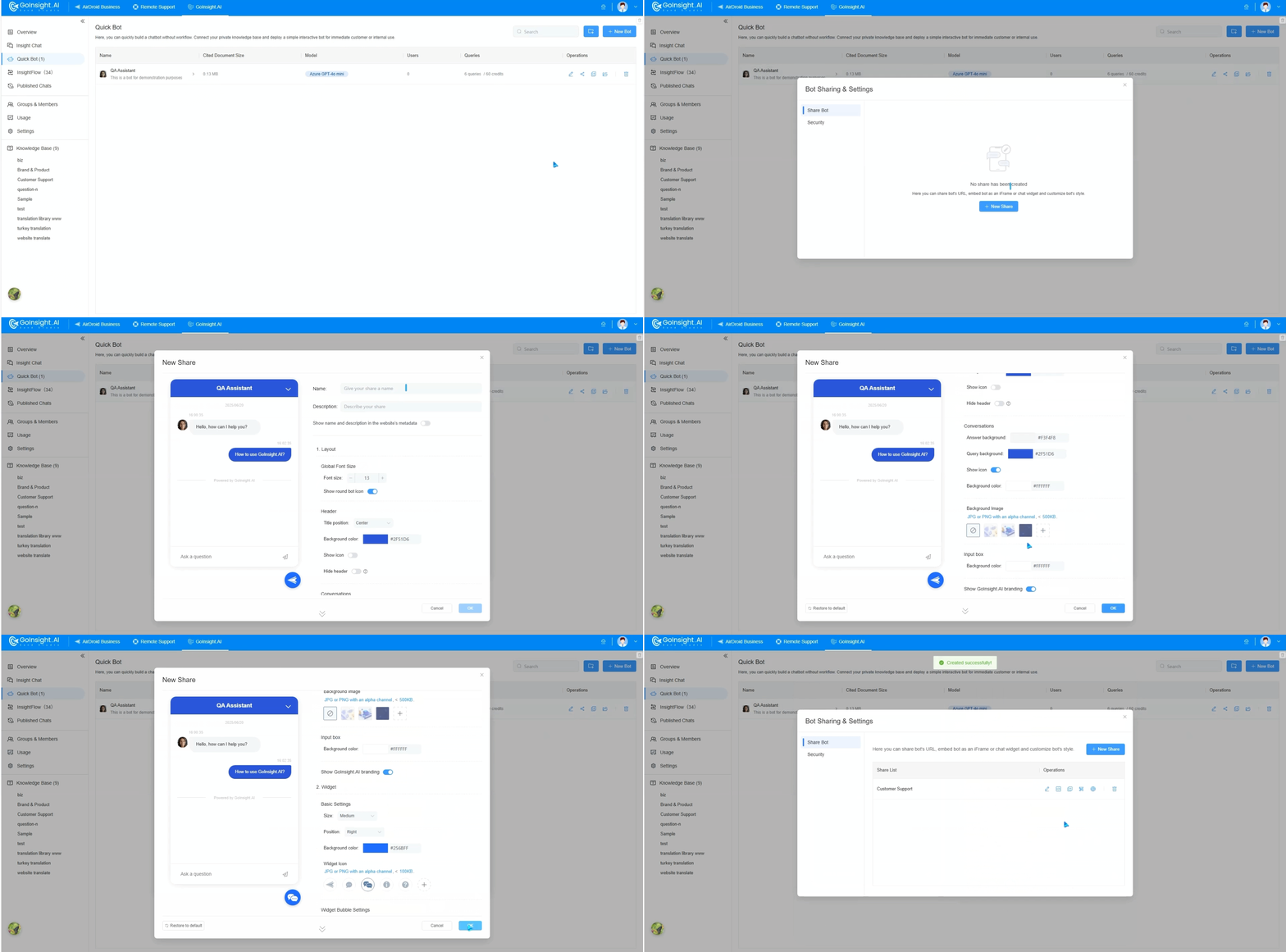
You can extend the bot with AI workflows and agents, for example, pushing leads to your CRM or triggering follow-up actions without writing any code.
Final Words
AI sales chatbots are quickly becoming essential for teams that want faster lead response, higher conversion, and scalable sales operations. The right tool depends on your channels, team size, and sales workflow—but each option in this list can help automate conversations and capture demand more efficiently. Whether you need a fully customizable enterprise bot or a simple plug-and-play solution, adopting an AI sales chatbot can significantly improve how you engage prospects and close deals.
FAQs



Leave a Reply.