

- Context and Requirements for Congressional Trade Data
- The 45-Day Rule: Why Daily Tracking Is Necessary
- The Data Latency Factor
- The Event-Driven Problem
- The Efficiency Imperative
- How Are People Tracking Congressional Trades Now?
- The Official Disclosure Portals
- Third-Party Channels
- Automatically Get Your Daily Insights on Congressional Trading Activity
- How the GoInsight.AI Workflow Operates
For market researchers and professional investors, congressional trading activity has become a valuable data resource for understanding how policy awareness and financial behaviors intersect.

This data offers a unique context on risk appetite, sector exposure, and timing behavior among elected officials; a context that's hard to find elsewhere.
However, accessing it is difficult because disclosures are spread across multiple portals, updated unpredictably, and require manual downloading.
This article explains how the current system works and introduces a faster, automated method to track congressional stock trades daily.
Context and Requirements for Congressional Trade Data
The Stop Trading on Congressional Knowledge (STOCK) Act was passed in 2012 and requires members of Congress and certain staff to disclose securities transactions to prevent the use of non-public information for financial gain.
Under the Act, members must report securities transactions within 30–45 days. These filings appear on official government portals and form a public data source for researchers.
Professionals use this data to assess how policymakers allocate capital and how those decisions align with legislative activity.
However, the reporting system creates several challenges:
- Filings are spread across multiple portals with no central hub.
- Formats vary and are difficult to analyze efficiently.
- Updates appear inconsistently with no fixed schedule.
The 45-Day Rule: Why Daily Tracking Is Necessary
1. The Data Latency Factor
Under the STOCK Act, members of Congress have up to 30-45 days to report securities transactions.
For researchers, this built-in delay means:
- Trades may already be weeks old by the time they're published.
- Market conditions may have shifted long before filings appear.
- Price movements tied to the trade may have already occurred.
Because disclosures may be up to 45 days old, analysts relying on manual checks often discover activity long after it matters. Daily tracking closes this gap by alerting users immediately when filings appear, even if the trade occurred weeks earlier.
2. The Event-Driven Problem
Congressional disclosures are also intermittent. They follow no fixed schedule making it hard to predict when these filings are made available to the public.
This creates several key challenges:
- Filings can surface suddenly, at any time of day
- Multiple transactions may appear at once without warning
- Activity can quickly ramp up during major political or economic events
This unpredictability makes manual tracking unreliable at best, and unworkable for professionals who need timely insights. Important disclosures can surface between checks, overnight, or during major market-moving events.
3. The Efficiency Imperative
Professionals who typically use & look for Congressional trading data require fast, consistent access. But manual monitoring has significant gaps:
- Manually browsing multiple government portals
- Downloading individual files one by one
- Extracting and consolidating inconsistent formats
- Sorting data by member, ticker, trade size, or date
On the other hand, with automated tracking, these issues are solved:
- Filings are captured the instant they appear
- Formats are normalized into clean, structured data that's easy to analyze
- Eliminates repetitive manual checks & juggling multiple sites
- Includes skimmable summaries directly to analysts
The Key Takeaway
Latency, unpredictability, and workload all act as substantial barriers to effectively utilizing Congressional trading data. Automation becomes essential for anyone who needs real-time visibility into Congressional trading activity.
How Are People Tracking Congressional Trades Now?
1. The Official Disclosure Portals
The primary source of Congressional trade data is the official disclosure websites. Here, lawmakers submit their periodic transaction reports (PTRs), and is where the public can search for and view this data.
There are two main sites:
The House of Representatives Clerk
The House Clerk site hosts financial disclosures for Members, officers, and certain staff.
To access this information, you can follow these steps:
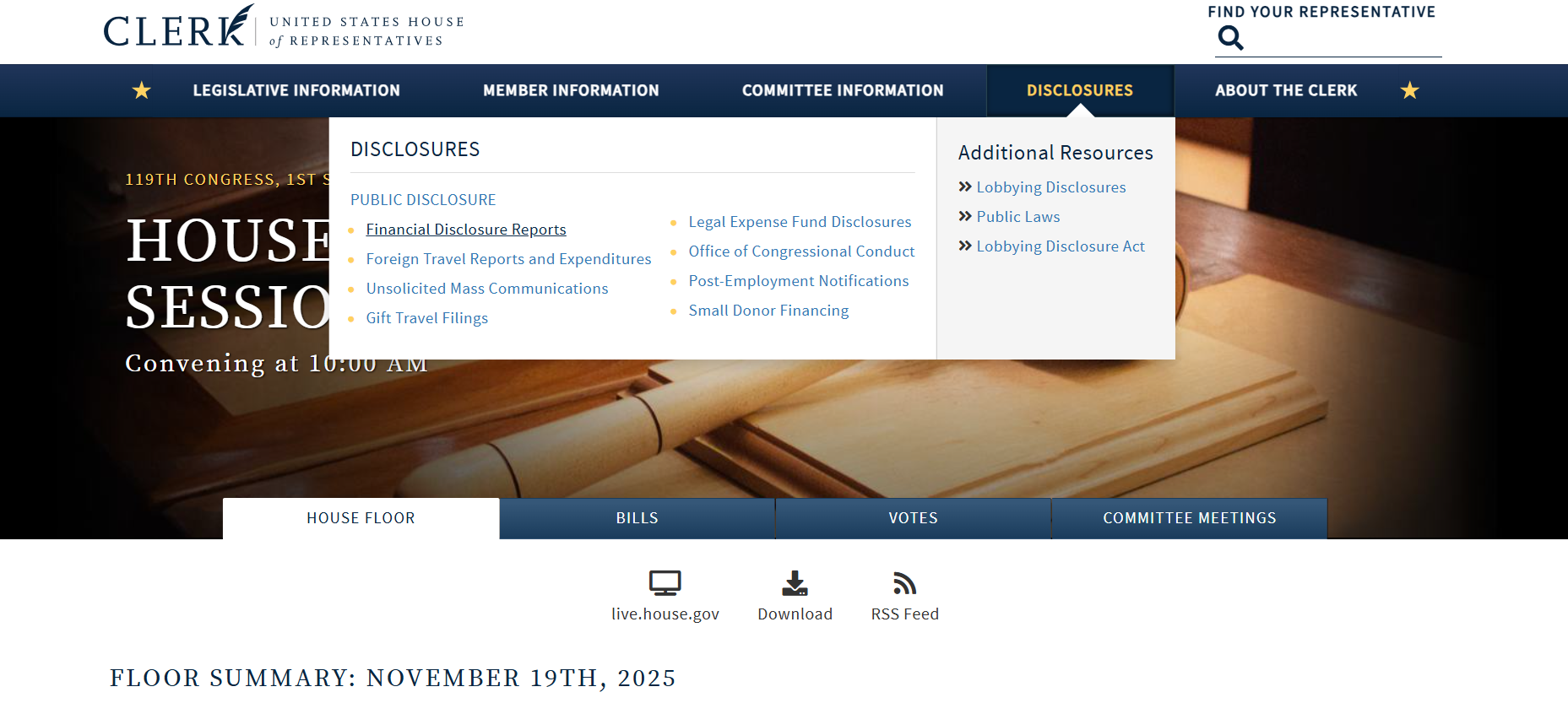
1. Go to: https://clerk.house.gov/
2. Click "Disclosures", then select "Financial Disclosure Reports".
3. Under "Download Financial Disclosure Reports by Year", select a year.
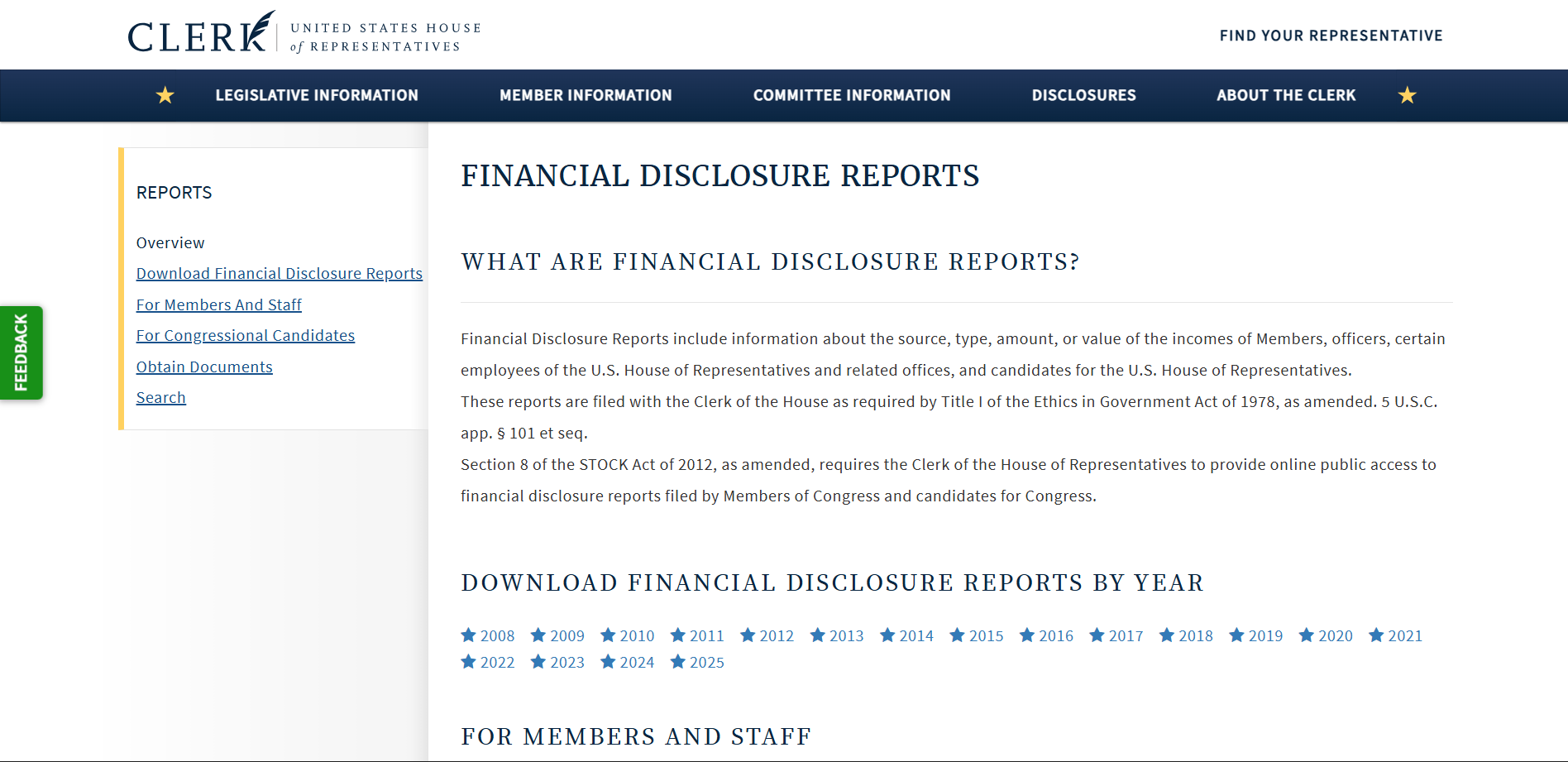
However, as you can see from the screenshot, there are glaring flaws for professional investors to use this as a data source:
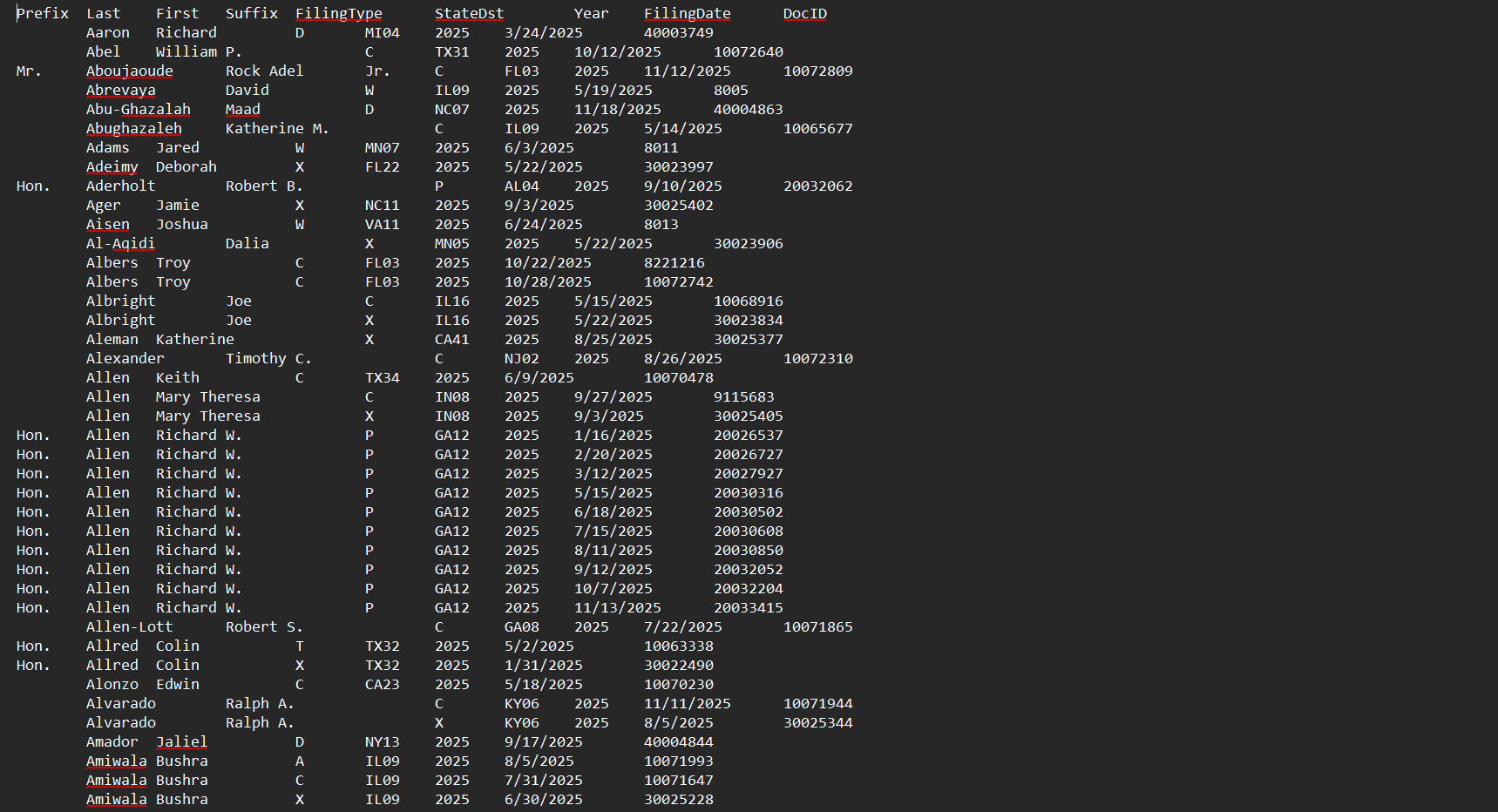
- Unstructured Data: Reports download as raw .txt or .xml files with no formatting, making them extremely hard to read or extract insights from.
- No Search or Filtering: You cannot filter by ticker, transaction size, trade type, or name; everything must be located and categorized manually.
- Time-Consuming Parsing: Each report must be opened, interpreted, and manually recorded before the data is usable.
- Not Scalable for Professional Use: Anyone tracking dozens of lawmakers or hundreds of trades must repeat the entire process manually for each new filing.
U.S. Senate Select Committee on Ethics
The U.S. Senate Select Committee on Ethics oversees financial disclosure compliance for Senators, candidates for Senate, and select Senate staff, among other information and resources.
It uses an online system, the eFD (Electronic Financial Disclosure) portal, which allows the public to search and view filed reports, including PTRs. Unlike the House Clerk site, the Senate portal offers a more usable, searchable interface.
Users can filter filings by name, report type, date range, and more, making it somewhat more navigable, though still unoptimized for rapid market analysis.
Here's how to view FD reports on the site:
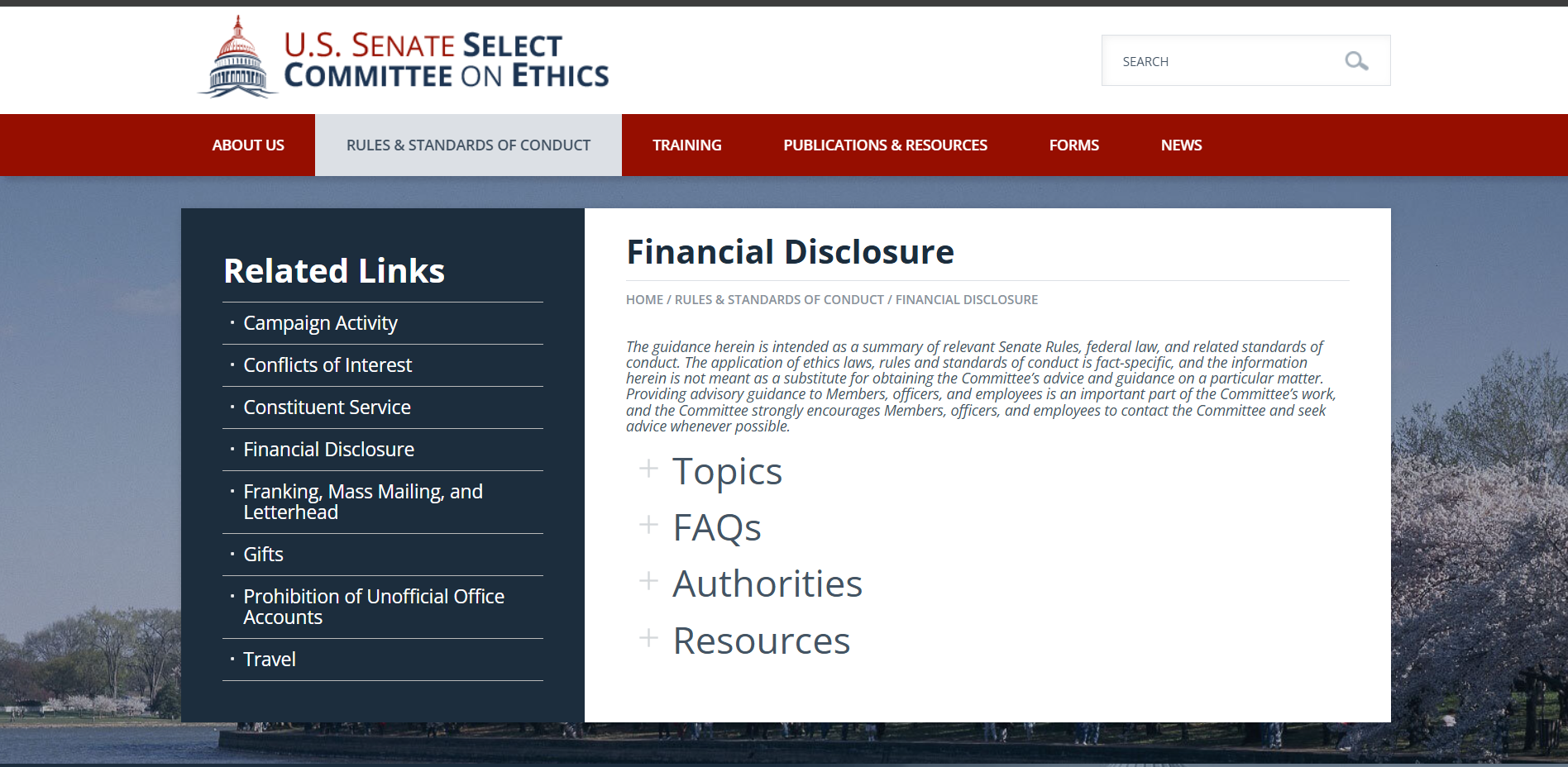
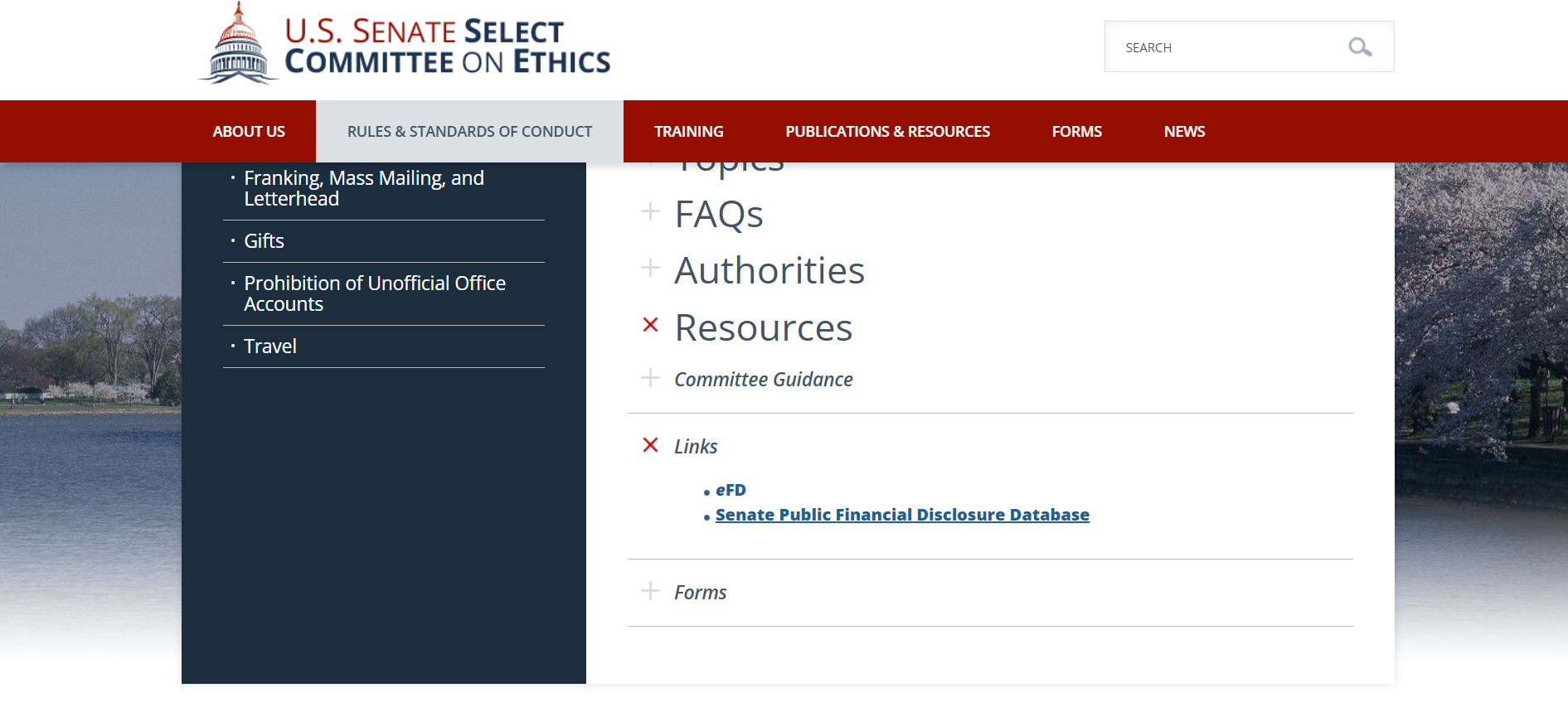
1. Go to: https://www.ethics.senate.gov/public/index.cfm/home
2. Select "Rules & Standards of Conduct", then select "Financial Disclosure".

3. Click "Resources".
4. Select "Links" > "Senate Public Financial Disclosure Database".
5. You can search filings by Senator, former Senator, or candidate.
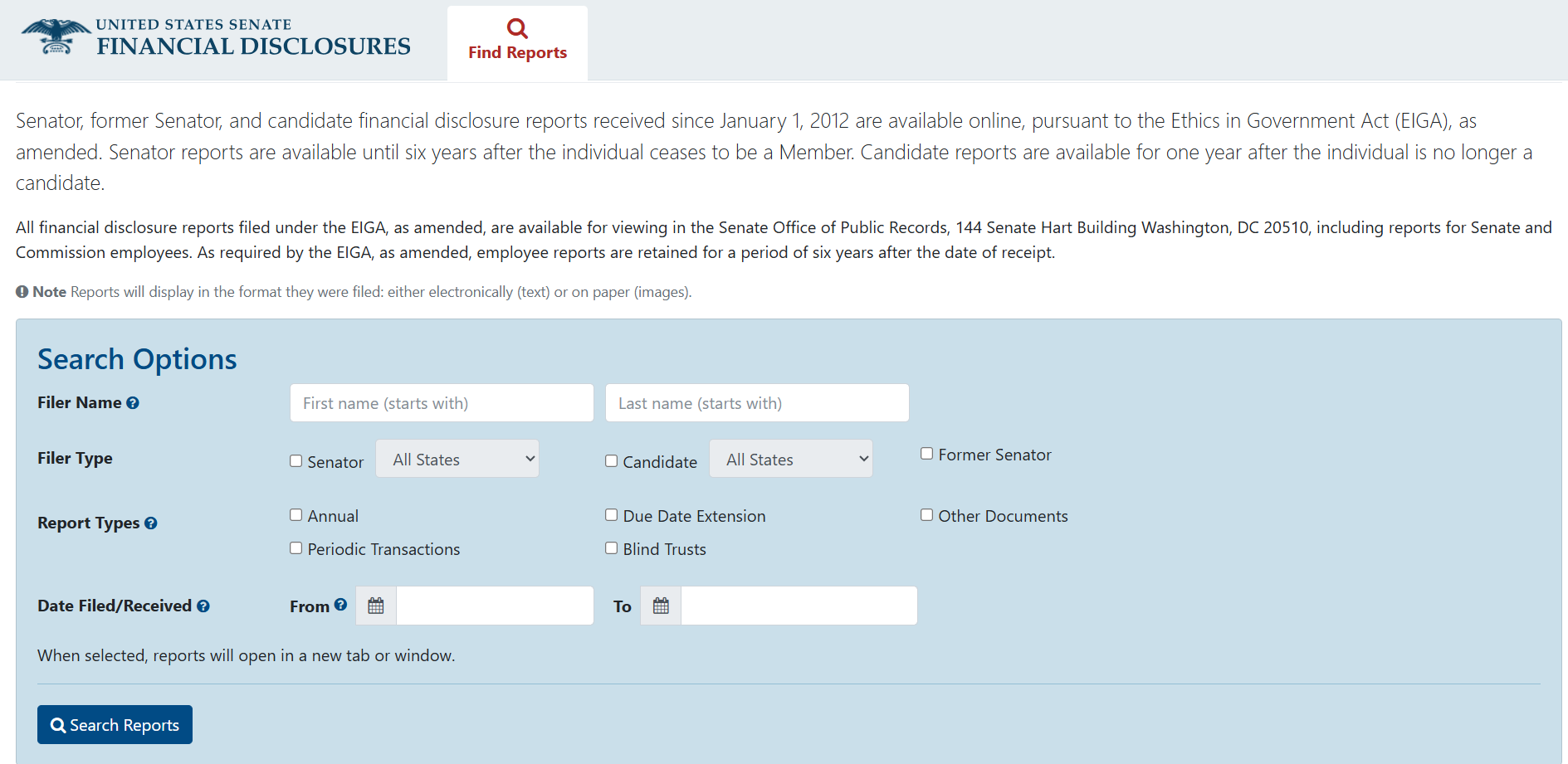
Although more user-friendly than the House portal, the Senate system still falls short of what analysts and investors need for timely trade tracking.
Key operational limits include:
- Still Requires Manual Downloading: Even with a search filter, each report must be opened and downloaded manually. There are no bulk export or data aggregation features available.
- No Real-Time Alerts: Users must manually re-check the portal; the site does not notify analysts when new filings appear.
- Difficult to Analyze at Scale: Tracking dozens of Senators across multiple date ranges still requires repetitive querying, downloading, and sorting.
2. Third-Party Channels
Third-party channels compile Congressional trading data into cleaner dashboards, making it easier to browse filings without digging through raw government disclosure files.
Quiver Quantitative
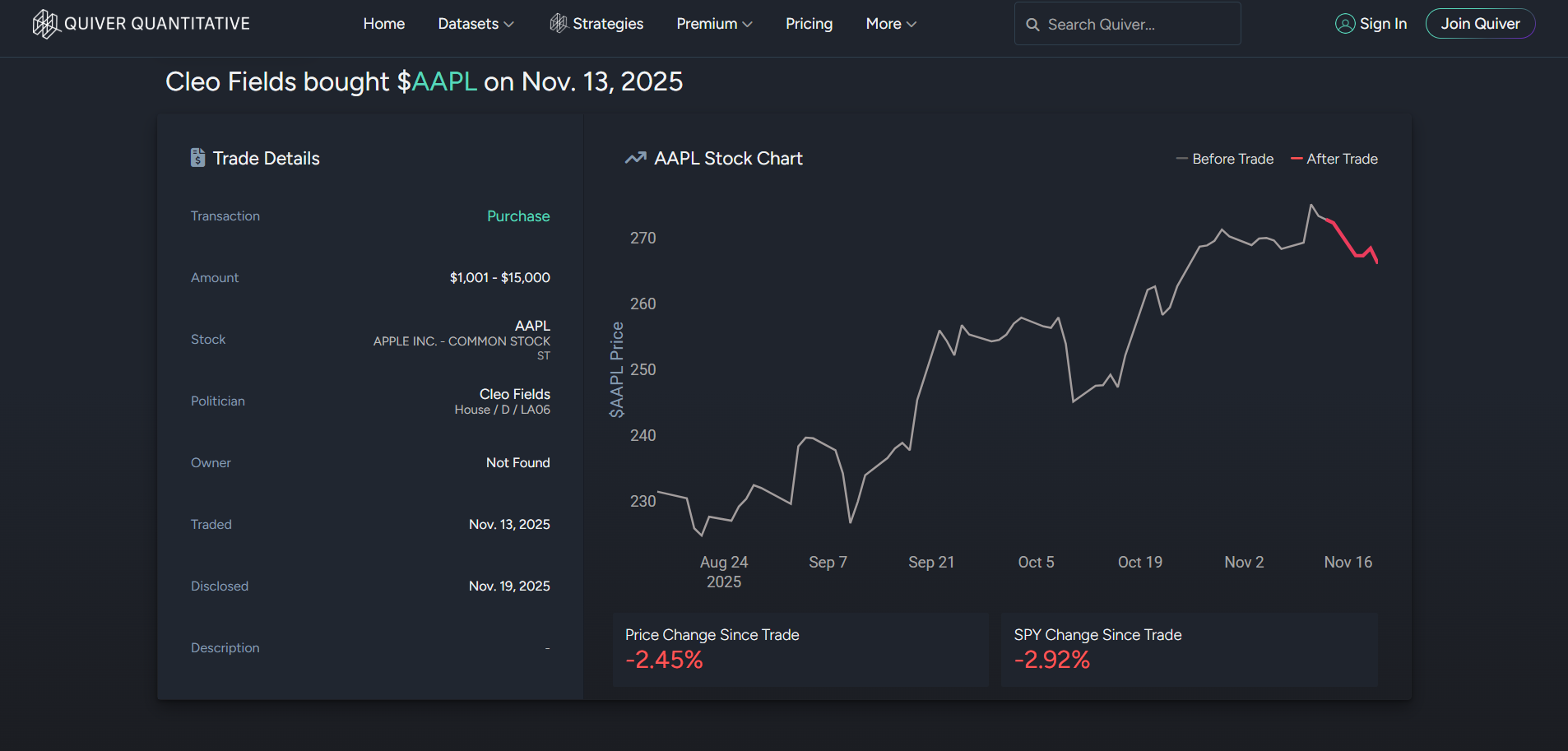
Quiver Quantitative aggregates PTR filings into a visual dashboard, calculating the politician's ROI, as well as stock performance following transactions.
1. Visit https://www.quiverquant.com/congresstrading/.
2. Browse recent trades or search for specific politicians/stocks.
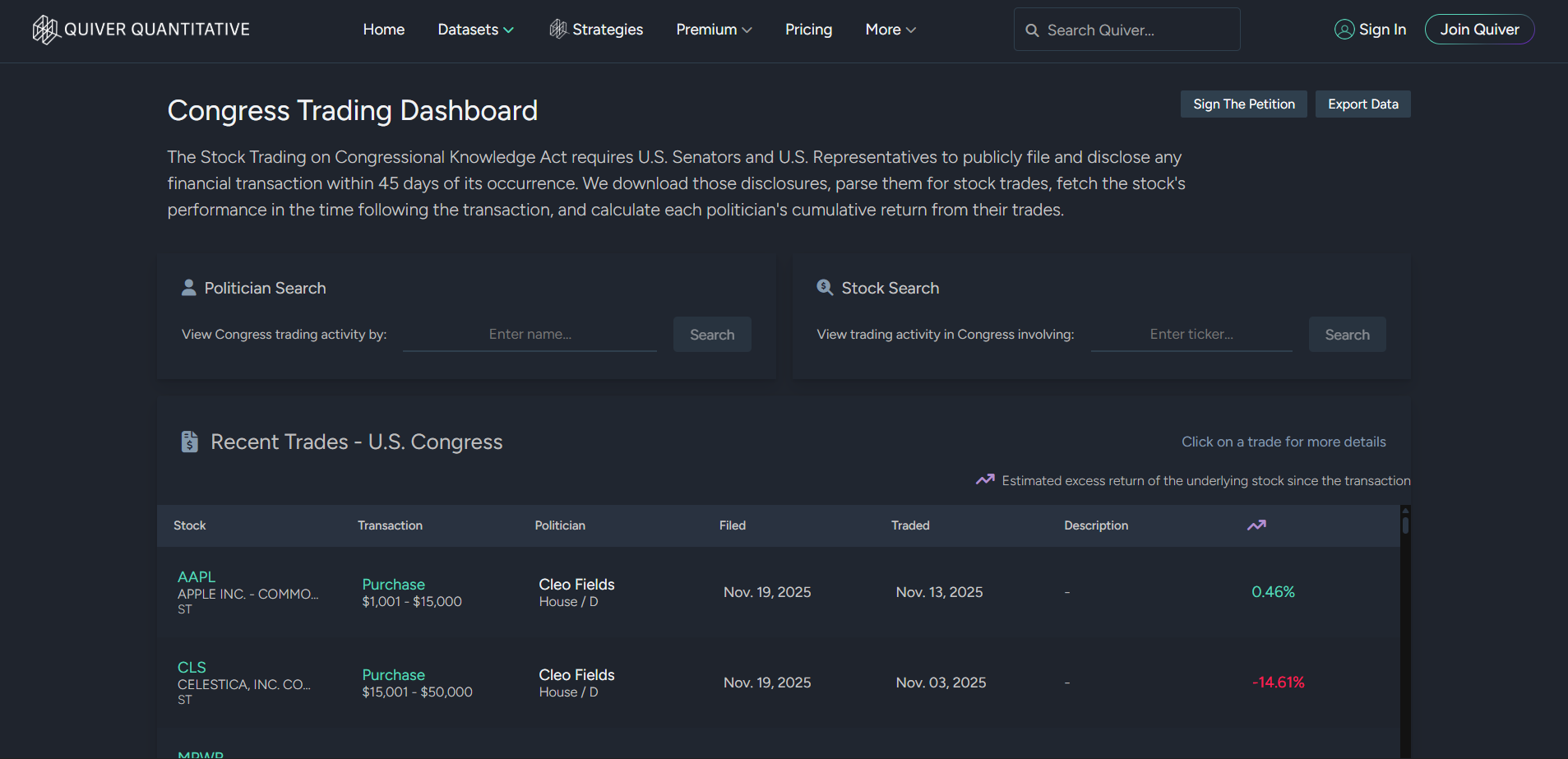
3. Select an entry to view detailed information on the trade.
Capitol Trades
Capitol Trades tracks both House and Senate filings, standardizing them into sortable, easy-to-read tables.
1. Visit https://www.capitoltrades.com/ and select "Trades".
2. Use search options to filter by politicians, political party, trade size, sector, etc.
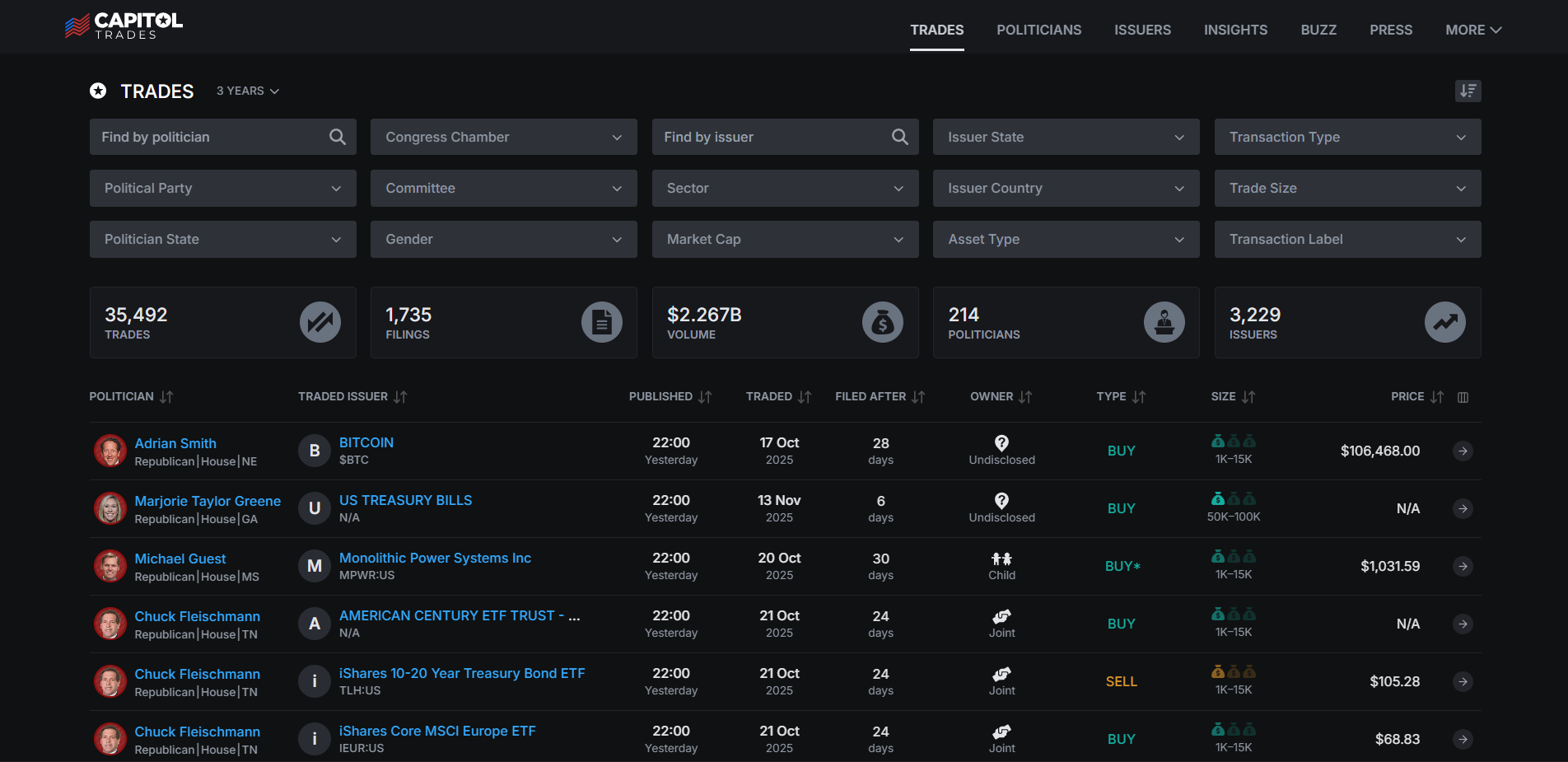
3. Select a politician/trade to view detailed information.
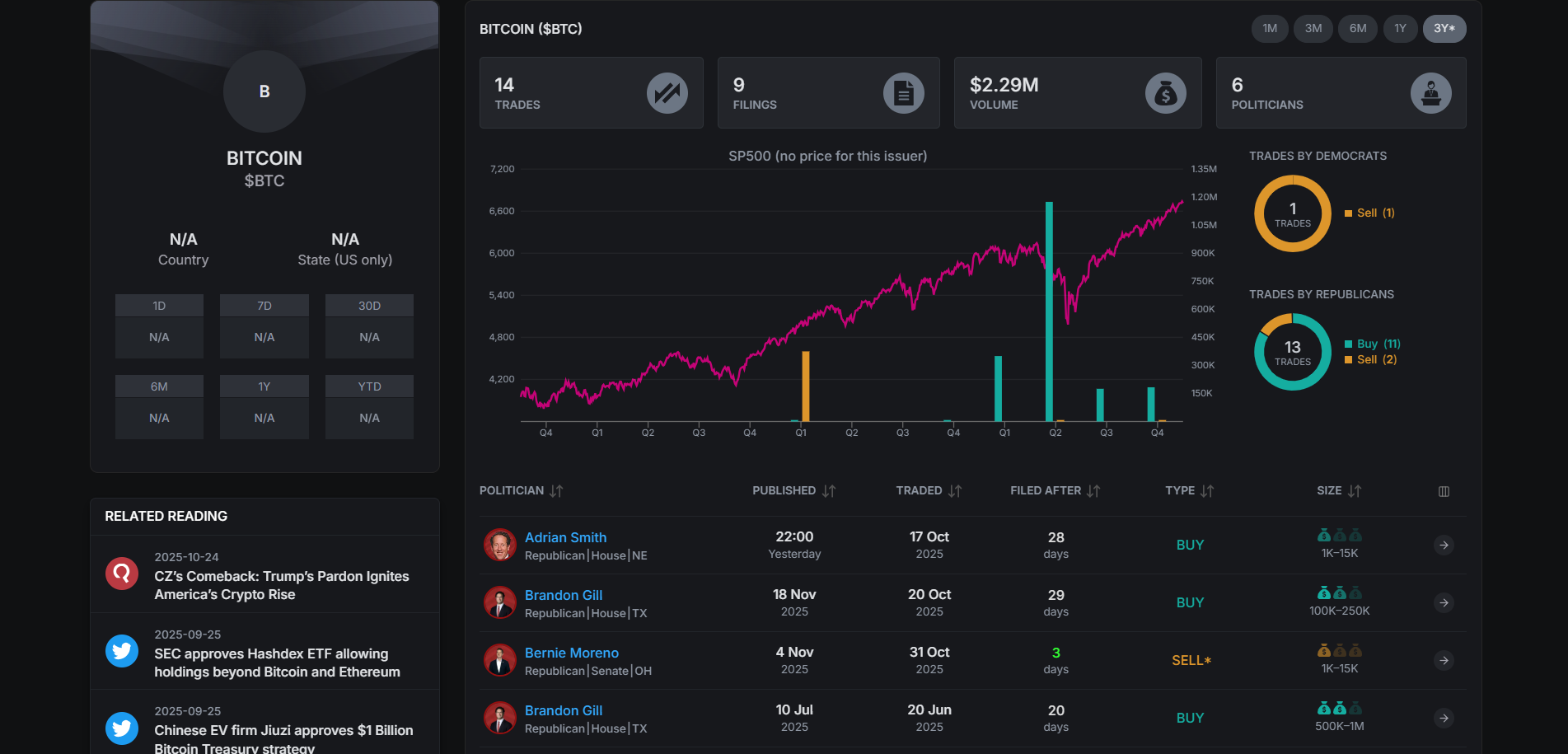
Trend Spider
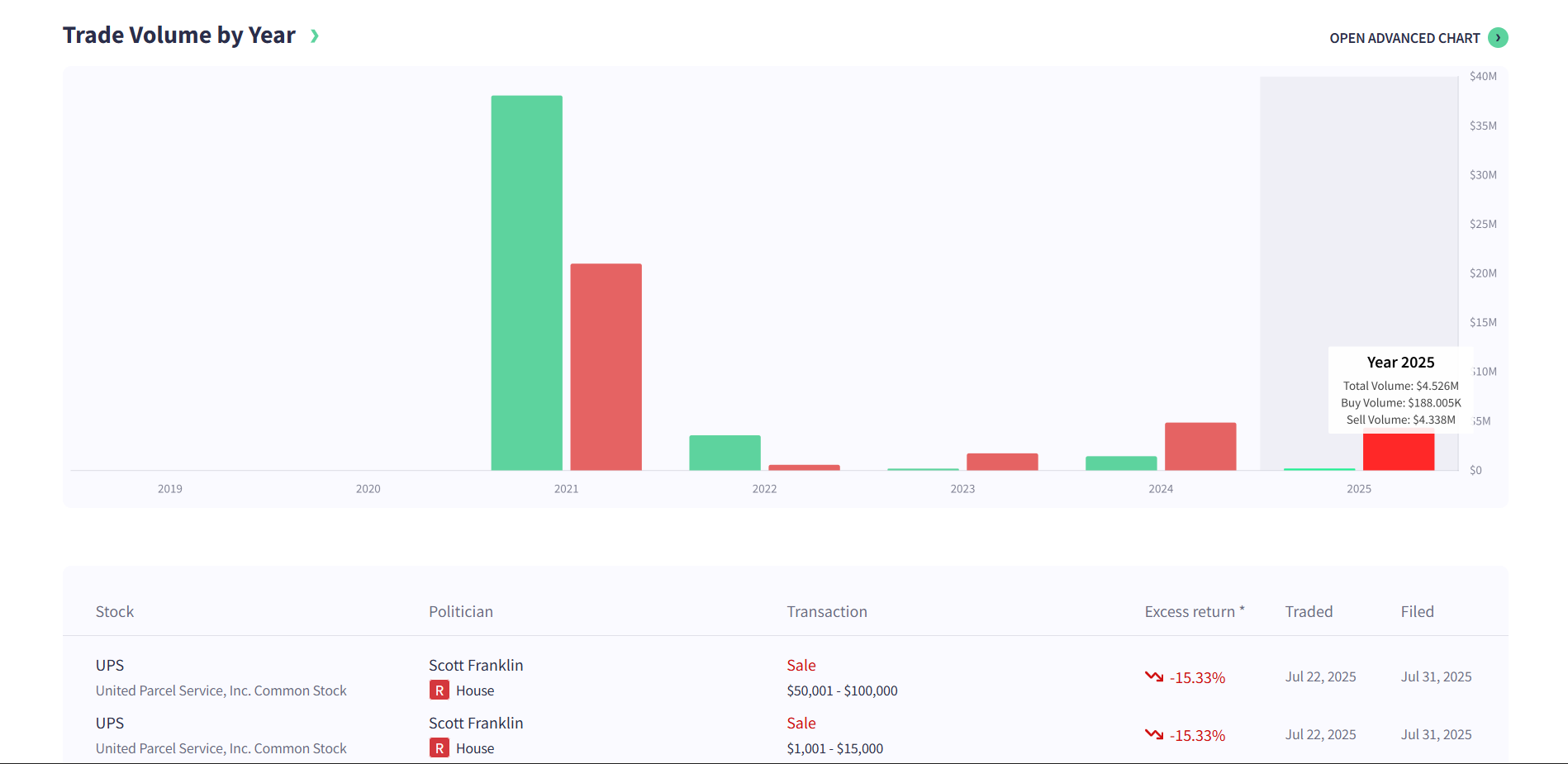
Trend Spider is an "idea generation" and technical analysis platform. Using its market research tools, traders can also view and overlay PTR data with technical charting.
1. Visit https://trendspider.com/.
2. Select "Tools", then select "House and Senate Trading".
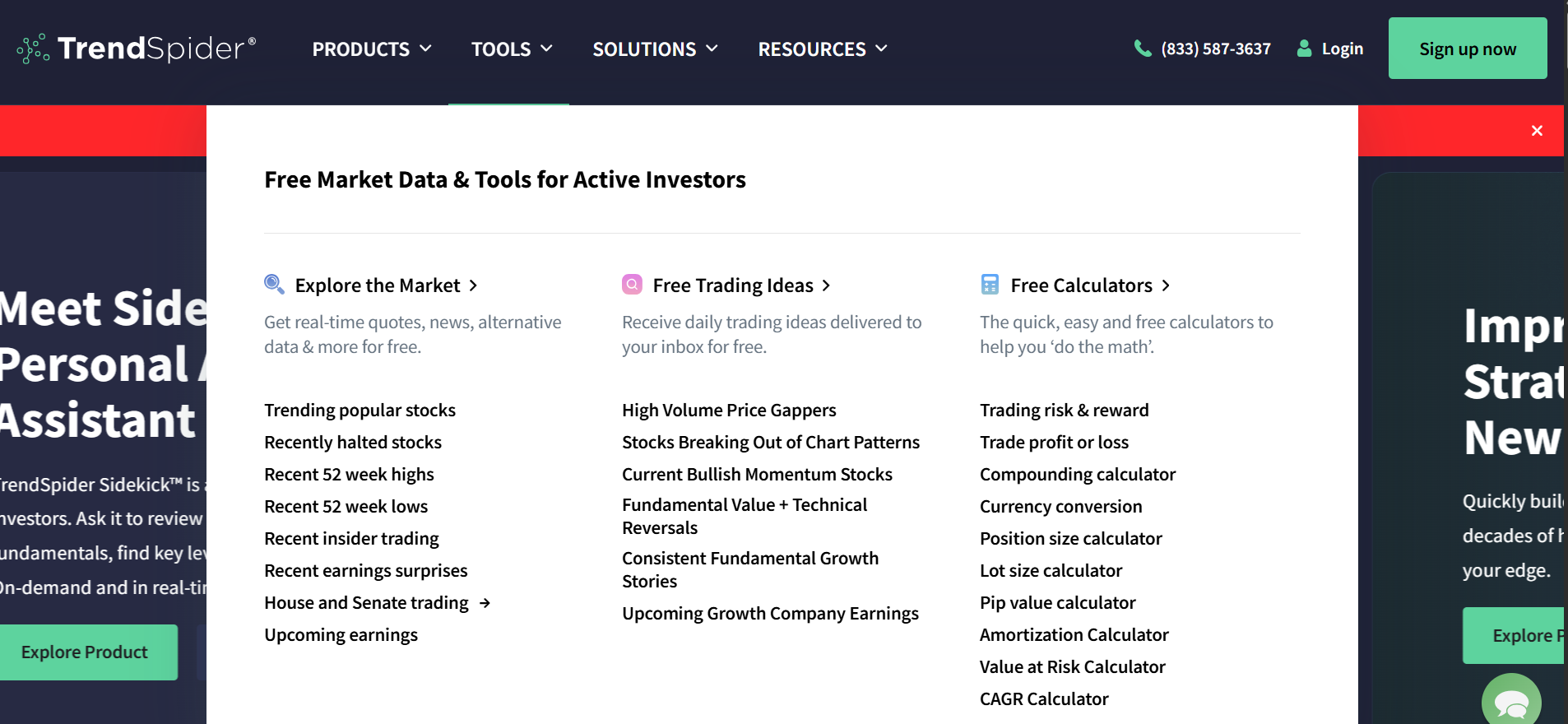
3. Here, you get an overview of their latest aggregated data on Congressional trades.
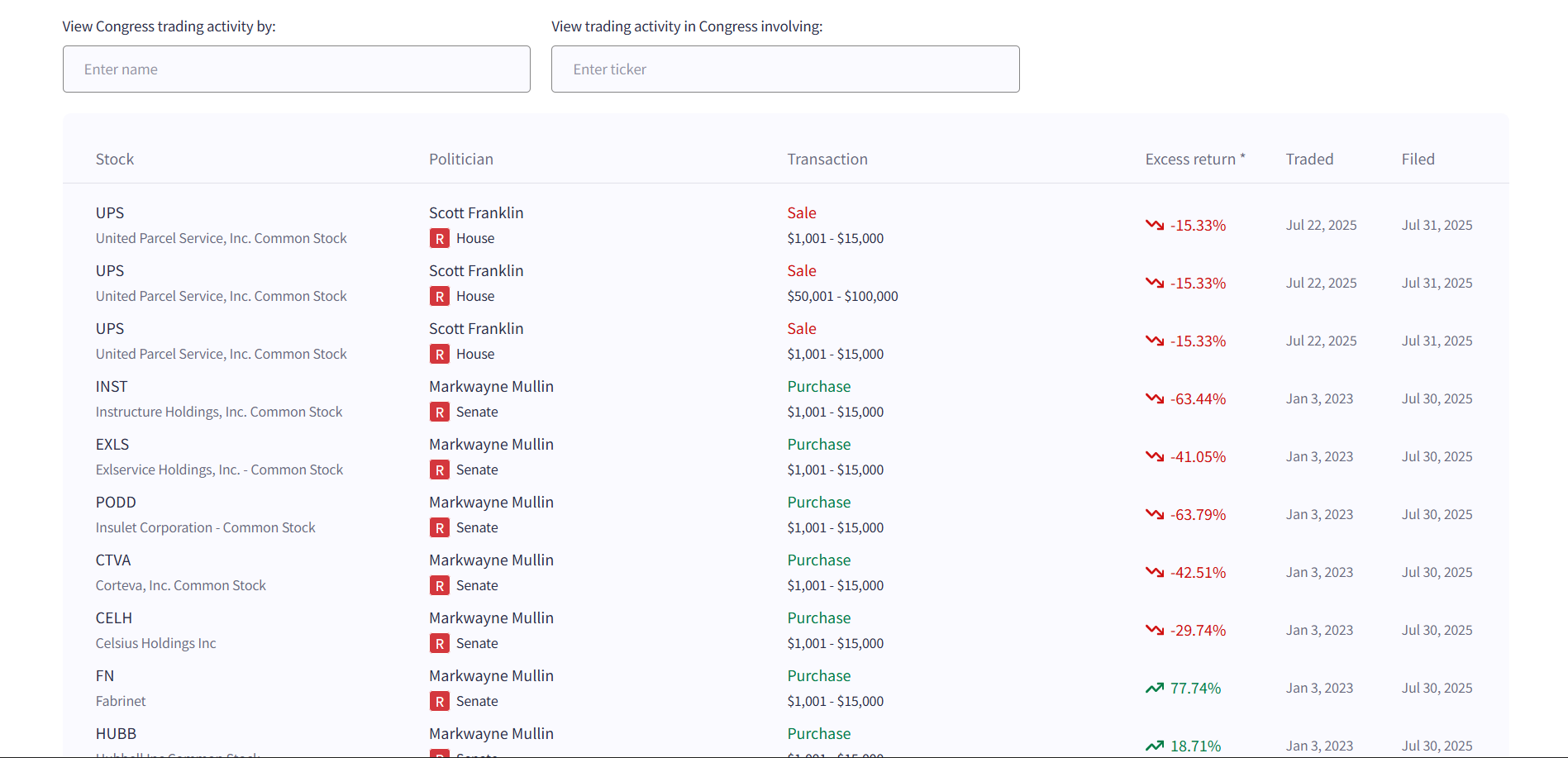
4. Select a specific politician to view Trade Volume charts and specific transaction details.
The Operational Limits of Third-Party Tools
Despite being more user-friendly than government portals, these platforms still have notable constraints:
- No Guaranteed Real-Time Updates: These tools rely on scraping or periodic batching, so filings may be delayed before appearing.
- Data Accuracy Depends on Scraping: If a government portal changes formatting, delays or errors can appear in the feed.
- No Automation or Workflow Triggers: Analysts still need to visit the site and manually check for updates; no automated alerts tied to internal systems.
- Limited Customization: Users cannot build workflow triggers, automated reports, or multi-source analytics from within these sites.
As a result, professionals still require an automated, real-time approach to stay ahead of new filings.
Automatically Get Your Daily Insights on Congressional Trading Activity
With all the limitations of manual and third-party tracking, GoInsight.AI provides a fully automated workflow to deliver daily Congressional trade data briefs directly to analysts.
How the GoInsight.AI Workflow Operates
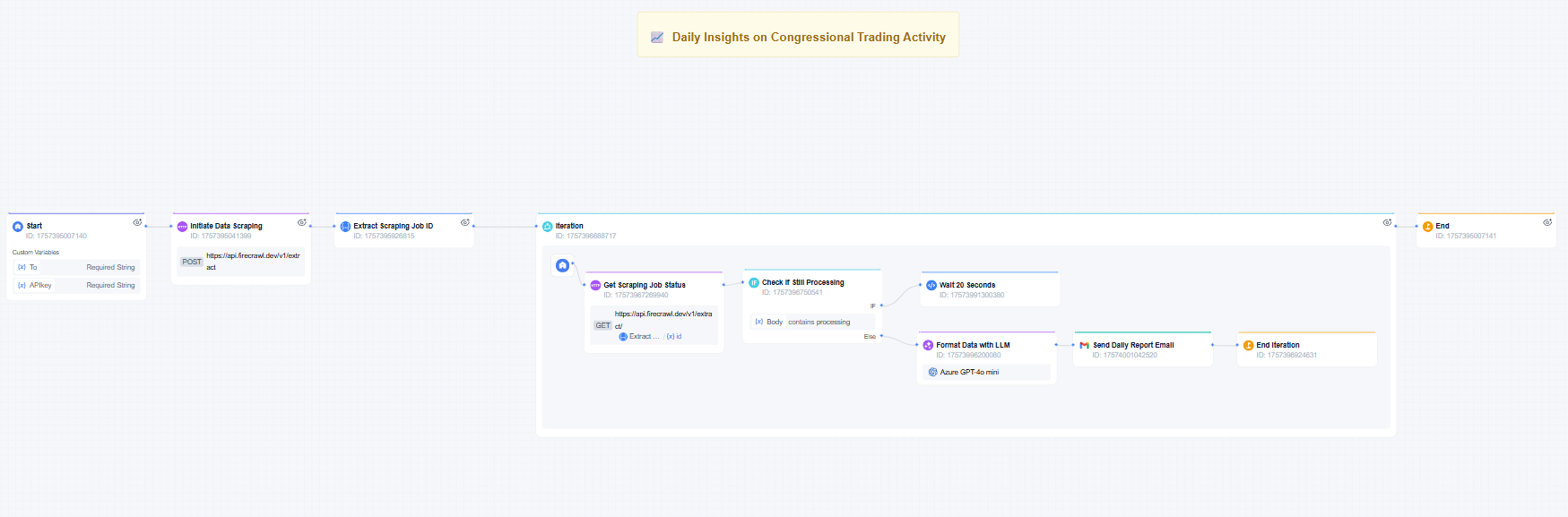
GoInsight.AI's workflow runs a scheduled, daily scan for new Congressional trading activity. Behind the scenes, the workflow:
- Scrapes updated PTR filings from public tracking websites.
- Processes the raw data with an AI model to extract names, parties, assets, dates, tickers, and trade amounts.
- Formats the information into skimmable, clean summaries
- Delivers the final report straight to your email inbox.
With this workflow, investors and researchers don't have to rely on inconsistent update times or manual data collection.
Instead, they get a daily, reliable, and standardized Congressional trading digest, making it easier to track potential market trends, gain legislative insights as they arrive, and speed up research cycles.
Conclusion
Congressional trade data connects policy to market moves, yet most still rely on manual tracking or basic tools.
If you want these insights automatically delivered fresh to your inbox, GoInsight.AI delivers. We automate data collection and send you curated analysis daily, streamlining your entire workflow.





Leave a Reply.